

VLC Remote Free
VLC Remote Free screenshots (8)
Description VLC Remote Free
From Couch Commander to Media Maestro
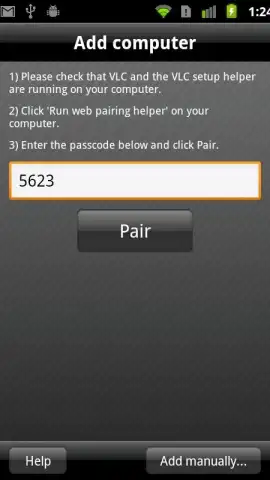
Imagine settling into your favorite spot for a movie night, only to realize the laptop controlling your media is just out of reach. The universal frustration of pausing a film to adjust volume or skip a title sequence is a common interruption. VLC Remote Free directly addresses this by transforming your Android smartphone or tablet into a dedicated wireless remote for the VLC media player on your computer. This utility establishes a local network connection, effectively removing the physical barrier between you and your media library. The initial setup is facilitated by an integrated configuration assistant that automatically prepares the VLC instance on your desktop for remote access, typically requiring only a few moments to synchronize.
Core Functionality and Control Scheme
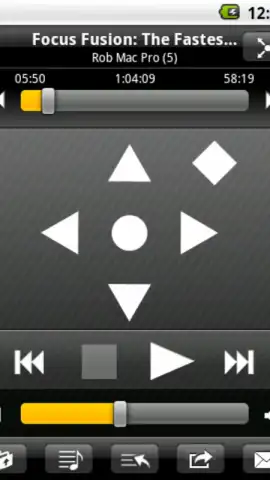
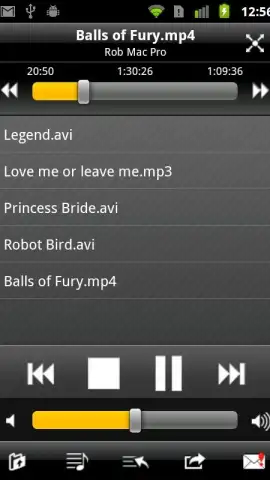
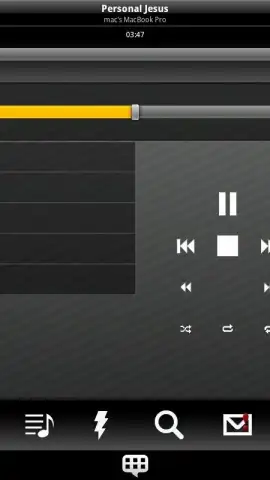
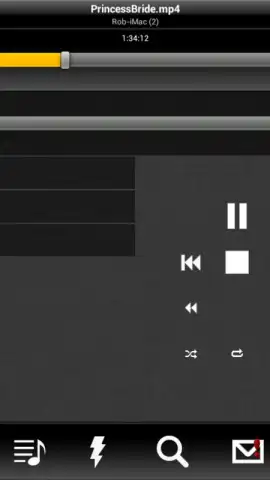
Upon successful pairing, the application presents a control interface that mirrors the core functions of VLC. The primary screen provides large, tactile buttons for essential playback commands: play, pause, stop, and track skipping. A seek bar allows for precise navigation through any audio or video file. Separate volume controls manage the output level on the host computer independently from your Android device’s system volume. A dedicated button toggles full-screen mode on the remote display, while another can mute audio instantly. This basic command set is designed for reliability and instant recognition, minimizing lag between input on your phone and action on the screen.
Advanced Playback Parameter Management
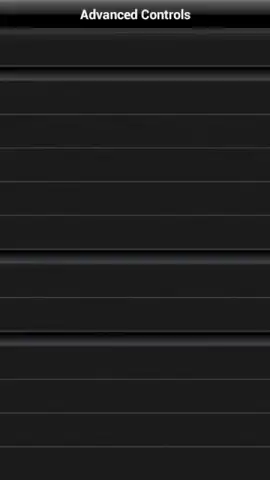
Beyond simple transport controls, VLC Remote Free offers granular management of advanced playback parameters, which is where its utility becomes significantly more powerful. For video content, the app provides remote access to VLC’s subtitle menu, allowing you to enable, disable, or cycle through available subtitle tracks without touching the keyboard. Similarly, you can switch between different audio tracks for multi-language films and adjust audio synchronization to correct lip-sync delays. The aspect ratio of the video playback can be cycled through standard formats (e.g., 16:9, 4:3, Original) directly from the remote interface. For DVD playback specifically, the application supports chapter navigation and menu interaction, replicating the functionality of a physical DVD remote.
Interface Design and Version Differentiation
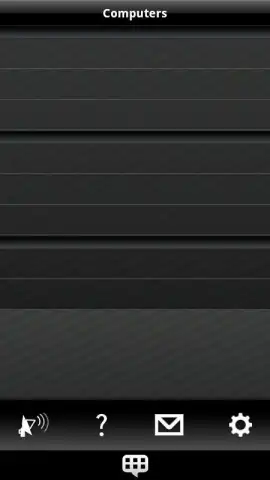
The user interface employs a clean, dark-themed layout that emphasizes button clarity and logical grouping. Key functions are spaced to prevent mis-taps, and the connection status is prominently displayed. It is important to note the operational model of this application: the free, or "Lite," version provides full remote control functionality but restricts the integrated file browser to a demonstration mode. This means you can use your phone to remotely play any file already open in VLC on your computer, but browsing your computer’s directories to select and open new files directly from the remote is a feature of the upgraded, full version. This approach allows users to fully test the core remote control reliability before committing to the expanded functionality.
Industry Recognition and Practical Application
The application has been recognized within the software utility space, having received an award such as the Handster's Best Software Award in the multimedia category, which underscores its effectiveness in solving a specific user problem. Practical user feedback consistently highlights the stability of the network connection and the convenience of consolidating media control into a single, always-at-hand device. It eliminates the need for specialized infrared hardware or line-of-sight control, working seamlessly over your local Wi-Fi network. This makes it a pragmatic tool for presentations, parties, or simply enhancing personal viewing experiences where the computer serves as a media hub.
- Provides full wireless remote control for VLC media player over a local Wi-Fi network.
- Features granular control for subtitles, audio tracks, aspect ratio, and sync delays.
- Includes a configuration assistant for automatic, simplified setup with the desktop VLC.
- Offers an intuitive, tactile interface with dedicated buttons for all essential playback commands.
- Supports advanced DVD navigation, including chapter selection and menu control.
Download this essential media utility now and permanently banish the need to get up from your couch! Transform your phone into the ultimate control center immediately!
Heads up: you'll need wifi for most features. Some cool stuff is extra.
 GooglePlay


