

YouTube to MP3 Converter
YouTube to MP3 Converter screenshots (6)


Description YouTube to MP3 Converter
The Problem with Streaming: Data Drain and Constant Buffering
Mobile users who frequently stream audio from YouTube face two persistent technical issues: high data consumption and the inability to multitask effectively. The platform's design requires the video component to load even when only the audio is desired, consuming significant mobile data. Furthermore, closing the app or switching to another task typically halts playback, limiting functionality. This creates a need for a utility that decouples audio from video, allowing for efficient, offline listening and background operation without constant network dependency.
Core Functionality and Technical Analysis
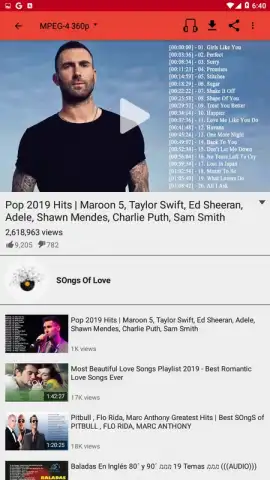
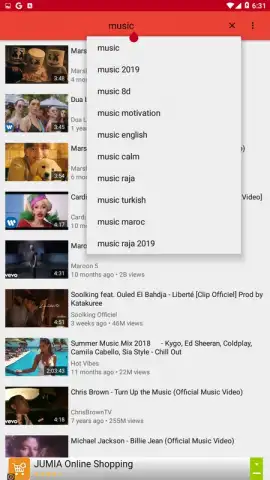
The YouTube to MP3 Converter app addresses these points directly by functioning as a dedicated download client and audio player. Its primary operation involves processing public YouTube video URLs. Users can search for or paste a link to any publicly available video on the platform. The application then fetches the video metadata, displaying the standard information such as the creator's description and view count, before presenting download options.
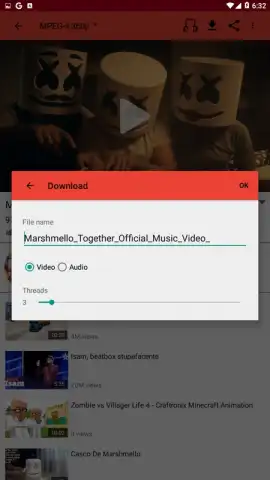
A key technical feature is the dual-format output. The user is presented with a choice to download the complete video file or to extract and download only the audio track, encoded as an MP3. This selective downloading is the core efficiency gain, transforming a video stream into a portable audio file. For video downloads, the app offers a configurable resolution selector, with a supported range from 144p to 720p, allowing a balance between file size and visual quality depending on the user's storage and playback intentions.
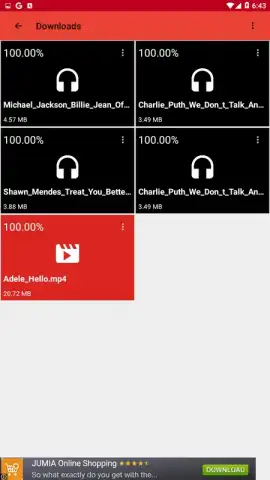
Once content is downloaded to the device's local storage, the app's integrated media player activates. This player enables background audio playback, a significant functional advantage. Users can listen to downloaded music or audio from videos while using other applications, with the phone locked, or during activities where a video screen is unnecessary. This transforms the device into a dedicated offline music player sourced from YouTube's library.
The developer promotes an ad-free experience through an optional "Turbo" mode, which is typically accessed via a one-time purchase or subscription. This mode is stated to remove advertisements from within the app interface and may unlock additional features. It is important to note that all download functionality requires an initial internet connection, as the app retrieves data from online sources. The subsequent benefit is the elimination of data traffic for repeated playback, as files are stored locally.
- Background audio playback capability
- MP3 audio extraction from videos
- Adjustable video download resolution
- Local storage for offline access
We suggest trying YouTube to MP3 Converter if your usage pattern involves repeated listening to specific YouTube audio or requires music playback without an active screen.
Download the YouTube to MP3 Converter mobile app now.
Heads up: you'll need wifi for most features. Some cool stuff is extra.


