

VLCRemote
VLCRemote screenshots (3)
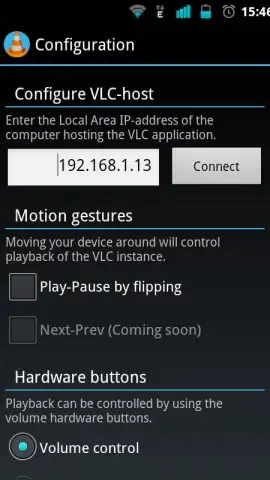
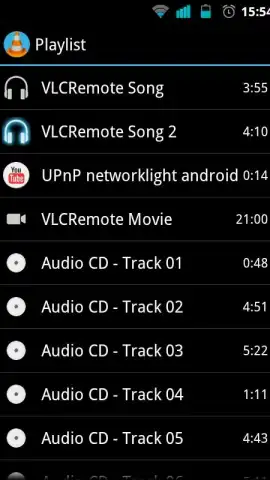
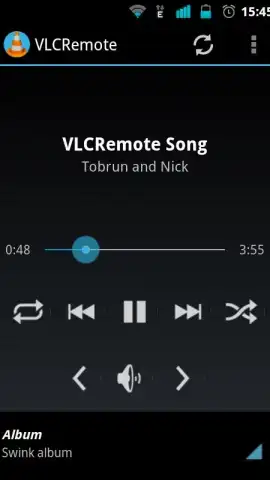
Description VLCRemote
What if your media library was just a tap away, no matter where you are?
VLCRemote transforms your smartphone into a sophisticated command center for the powerful VLC media player on your computer. This mobile app solves the fundamental inconvenience of needing to be physically near your PC to control playback, adjust volume, or manage your media queue. It establishes a seamless, wireless bridge between your devices, turning your phone into the ultimate remote for your entire digital entertainment system. The experience delivers a tangible sense of modern convenience, eliminating the friction of traditional control and allowing for true immersion in your content from the comfort of your couch or any room in your home.
Features & Core Functionality
The mobile app operates on a principle of robust, low-latency communication between your mobile device and a running instance of VLC on your desktop. Upon a straightforward network setup, you gain comprehensive control over VLC's extensive feature set. You can browse the entire media library stored on your computer directly from your phone's screen, creating playlists and selecting files without ever touching the PC. Playback control is precise and immediate, offering play, pause, skip, and seek functions with a responsiveness that feels local. Furthermore, the mobile app provides access to VLC's advanced audio and subtitle track management, allowing you to switch languages or adjust sync on the fly. For power users, it exposes key playback parameters, enabling adjustments to equalizer settings and video filters remotely, which is particularly useful for fine-tuning the viewing experience on a secondary display or projector.
Key Advantages
The primary strength of VLCRemote lies in its streamlined user experience and reliable performance. The interface is clean and logically organized, mirroring VLC's ethos of functionality without bloat, ensuring you spend less time navigating and more time controlling. Its connection stability is a standout, maintaining a solid link over your local Wi-Fi network with minimal lag, which is critical for seamless playback control. The visual design is purposefully minimalistic, putting focus on media metadata and control buttons, which enhances usability whether you're in a dark home theater or a brightly lit room.
- Complete Media Library Access: Browse and play any file from your computer's drives directly on your phone.
- Precision Playback & Audio Control: Manage playback, volume, and advanced audio/subtitle tracks with zero noticeable delay.
- Advanced Settings Management: Remotely adjust equalizer, video filters, and playback speed for a customized viewing session.
Start commanding your media center today. Download the mobile app now and experience the freedom of total remote control.
Internet required. IAP available.


