

iAnnotate
iAnnotate screenshots (7)
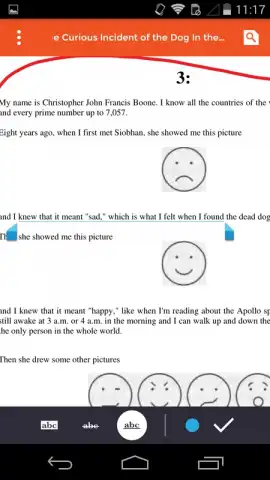
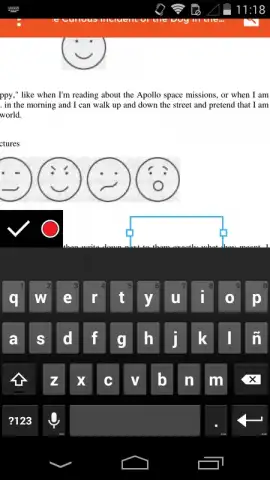
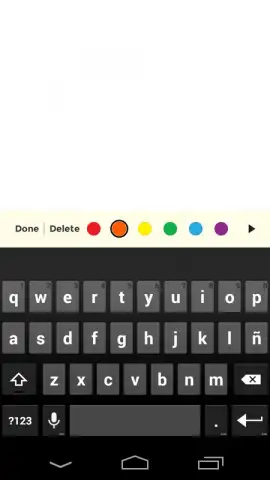
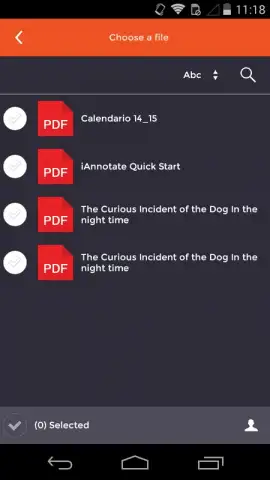

Description iAnnotate
Transform Your PDFs into Interactive, Collaborative Documents
iAnnotate by Branchfire redefines document interaction for Android, moving beyond basic viewing to provide a comprehensive suite of professional annotation and review tools. This application addresses the core inefficiencies of digital document workflows, enabling users to mark up, organize, and share feedback on PDFs, Microsoft Office files, and images directly from their device. It eliminates the need for printed copies and scattered email threads by centralizing all commentary and edits within the document itself.
Core Annotation and Document Management Mechanics
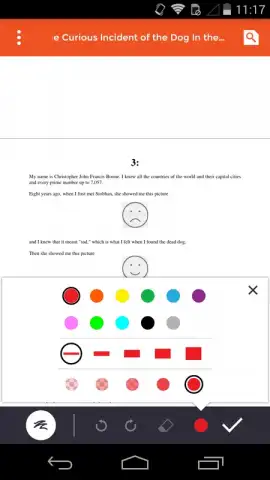
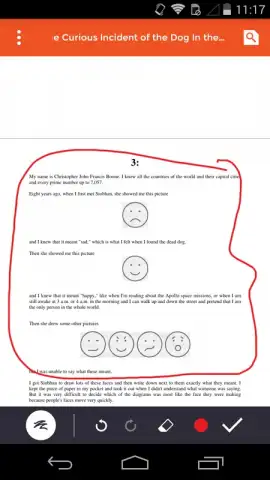
The application functions as a mobile productivity hub for document review. Users can open files from cloud storage services, local device storage, or email attachments. The primary mechanics revolve around a layered annotation system. This includes adding typed comments, freehand drawings with a stylus or finger, highlighting and underlining text, and inserting customizable stamps. A unique split-screen mode allows for viewing two documents simultaneously, facilitating comparison and reference. Documents can be reorganized within the app using a built-in file manager that supports folder creation and sorting by various criteria.
Key Advantages in Usability and Performance
The interface is designed for precision and efficiency, minimizing the steps required to access tools during an active review session. Performance is optimized for handling large, complex documents, including architectural plans and lengthy reports, without significant lag. Visual clarity is maintained through high-fidelity rendering of PDFs and support for pinch-to-zoom detail work. The app’s strength lies in its export functionality, which cleanly embeds all annotations into the document for seamless sharing with colleagues using any standard PDF viewer, ensuring feedback is never lost or separated from the source material.
Comprehensive Feature Set for Professional Review
- Apply persistent highlights, underlines, and strikethroughs to any PDF text element.
- Insert typed comment boxes and freehand drawings directly onto document pages.
- Utilize a library of custom stamps and signatures for rapid approval or notation.
- Manage and navigate files locally and from integrated cloud storage providers.
- Export fully annotated documents via email or back to connected cloud services.
Download the App Now
Gain immediate access to a professional-grade document workflow. This is the definitive tool for reviewers, students, and project teams needing precise annotation capabilities on mobile. Install now to streamline your next document review cycle.
Disclaimer: This application requires an internet connection for initial cloud service integration and certain sharing features. It may contain in-app purchases for advanced functionality. Please be aware of your mobile data usage when handling documents online. The app is rated for general use but is intended for professional and academic contexts. Features are subject to change; check your device compatibility before installation.


