

Volume Panel Free
Volume Panel Free screenshots (4)

Description Volume Panel Free
Take Complete Control of Your Android's Sound
Tired of the basic, restrictive volume controls on your Android device? Volume Panel Free fundamentally transforms your audio management experience by replacing the standard system panel with a fully customizable, feature-rich interface. This powerful tool requires specific permissions to function correctly, primarily the ability to display over other apps, ensuring it activates instantly whenever you adjust your volume, no matter what you're doing.
A Deeply Personalized Audio Command Center
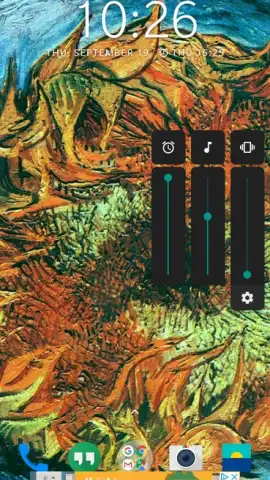
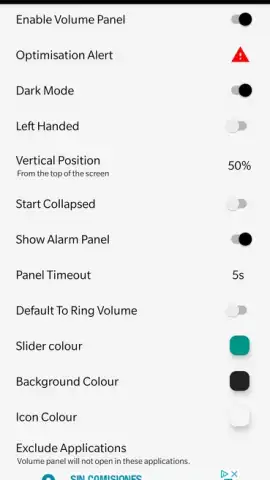
Upon installation, accessing your new control hub is intuitive: simply tap the edge of your device's physical volume button. This action instantly summons your personalized volume panel onto the screen. While it presents a familiar set of controls by default, its true power is unlocked within the extensive settings menu. Here, you can tailor every visual and functional aspect to your preference.
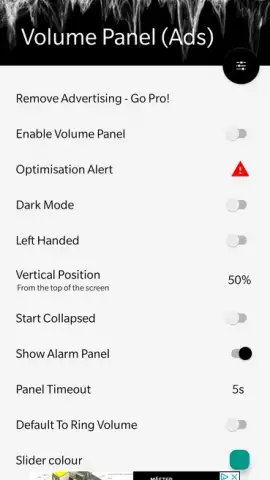
You have full authority over the panel's aesthetics, including customizing the color schemes for both the panel background and all icon sets. Functionally, you can dictate its on-screen position, choosing to anchor it to the left or right edge for optimal ergonomics. The app also allows for sophisticated application-specific exceptions, letting you define unique volume behaviors for individual apps, ensuring your media, calls, and alerts never interfere with each other.
- Fully customizable volume interface
- Set per-app volume exceptions
- Adjust visual theme and position
- Quick access from volume keys
- No advertisements in core use
Volume Panel Free is more than a simple tweak; it's a comprehensive utility for users who demand precision and personalization from their device's core functions. It delivers a professional-grade level of control, allowing you to shape your audio management panel's look and behavior exactly to your specifications.
We suggest trying Volume Panel Free to unlock a new level of convenience and customization on your Android device. Consider downloading it today to experience truly personalized sound control.
This app requires an internet connection for initial setup and certain advanced features. The application may offer optional in-app purchases for premium functionalities.
 GooglePlay


