

Wi-File Manager
Wi-File Manager screenshots (4)

Description Wi-File Manager
Tired of the Bluetooth Struggle? Transfer Files Wirelessly in Seconds
Imagine this: you've just captured the perfect photo on your Android phone, or you've finished a crucial document. You need it on your computer, right now. But your Bluetooth is acting up, or you can't find that cable. You're stuck, forced into a frustrating digital scavenger hunt. What if you could simply beam files directly from your phone to your PC as easily as opening a webpage? That seamless, cable-free reality is exactly what Wi-File Manager delivers. This ingenious tool transforms your existing WiFi connection into a superhighway for your data, making cumbersome transfers a thing of the past. Stop wrestling with unreliable connections and start enjoying effortless control over your files.
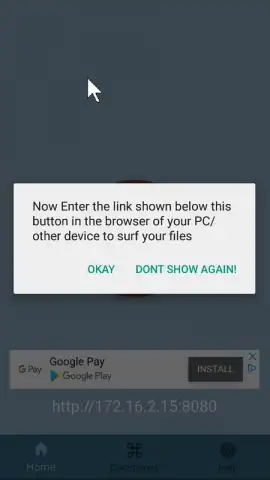
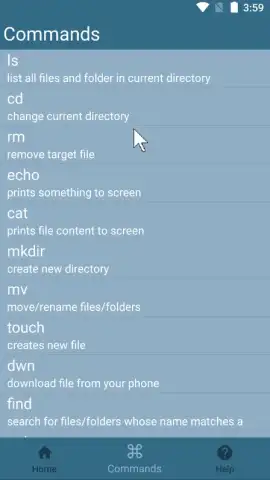
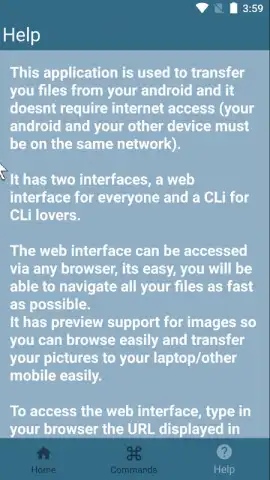
Wi-File Manager cleverly uses the WiFi network you're already on to create a direct, private bridge between your Android device and your computer. The process is beautifully straightforward. Once you open the app, it generates a simple web address. You just type that address into any web browser on your PC or laptop, and instantly, a secure connection is established. No complex software to install on your computer, no accounts to create. Your phone's storage becomes a clean, accessible network drive right on your desktop. You can then drag and drop files both ways—photos, videos, music, documents, even entire folders—with incredible speed and stability. The app's intuitive interface guides you through every step, putting you in complete command of your digital ecosystem without any technical headaches.
- Zero-Cable, Zero-Hassle Transfers: Ditch the physical tangle forever. Move files between your Android and computer over your home or office WiFi with stunning simplicity.
- Universal Browser Access: Your computer needs nothing but a standard web browser like Chrome, Firefox, or Edge. There's no extra desktop software to download or configure.
- High-Speed, Stable Connection: Leverage the full power of your WiFi network for transfers that are significantly faster and more reliable than Bluetooth, especially for large files or batches.
- Full Folder & File Management: Don't just transfer single items. Select and move entire folders of photos, project documents, or music libraries in one smooth action.
- Clean, Ad-Free Experience: Focus on your work without annoying interruptions. Wi-File Manager provides a streamlined interface dedicated solely to powerful file management.
- No Cloud Middleman: Your data stays locally on your network. This means faster speeds, no internet data usage for the transfer itself, and enhanced privacy for your sensitive files.
- Intuitive One-Click Operation: The process is designed for everyone. Just tap 'Start' in the app, enter the provided address in your browser, and you're ready to manage your files.
Stop wasting time on outdated transfer methods. Unlock the instant, wireless freedom you deserve for managing all your files between devices. Get Wi-File Manager and experience the sheer convenience of cable-free control today!
Download Wi-File Manager now and make slow transfers history!
Disclaimer: This application requires both your Android device and computer to be connected to the same WiFi network. A functional internet connection is initially required for network discovery. The developer, Tony Abou Zaidan, may offer in-app purchases for advanced features. Use of the app involves the transfer of user-selected file data over a local network. Please be aware of your network's security policies when transferring sensitive information.


