

Wifi Analyzer
Wifi Analyzer screenshots (3)

Description Wifi Analyzer
Struggling with Slow or Unstable Wi-Fi?
Finding the perfect wireless network in a crowded environment can be a frustrating guessing game. Wifi Analyzer by farproc cuts through the confusion, transforming your device into a powerful diagnostic tool. It provides a clear, technical overview of all surrounding networks, enabling you to make data-driven decisions for a faster, more reliable connection instantly.
Core Technical Features
This application delivers precise, real-time metrics on wireless network performance. It moves beyond simple signal bars, offering detailed visualizations and data points that reveal the true state of your Wi-Fi environment. The interface is designed for efficient scanning, presenting complex network information in an immediately actionable format.
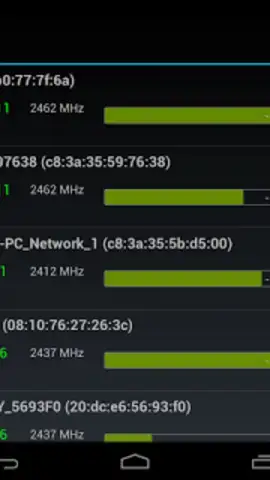
- Real-Time Signal Strength Meter: View a dynamic, updating table that ranks all detected Wi-Fi networks by their precise signal quality in decibels (dBm), eliminating connection guesswork.
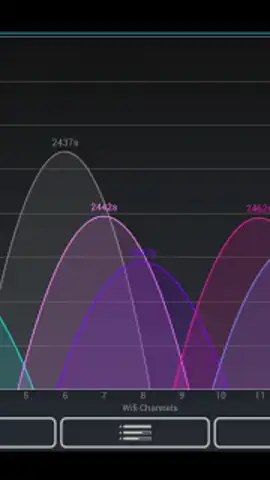
- Individual Channel Utilization Graphs: Analyze the traffic load and congestion on each Wi-Fi channel with dedicated graphs to identify the least crowded band for your router.
- Compact and Efficient System Performance: The tool operates with minimal storage footprint and background resource usage, ensuring continuous analysis without slowing down your device.
- Rapid Network Environment Scan: Conduct a comprehensive survey of all access points, including their SSID, security type, and MAC address, within just a few seconds.
- Visual Network Overlap Display: See a graphical representation of how nearby networks interfere with each other on the 2.4 GHz and 5 GHz spectrums for optimal router placement.
We suggest trying Wifi Analyzer to take full technical control of your wireless connectivity and permanently solve frustrating signal issues.
Download the Wifi Analyzer mobile app now.
Internet required. IAP available.


