
WiFi Optimizer
WiFi Optimizer screenshots (5)

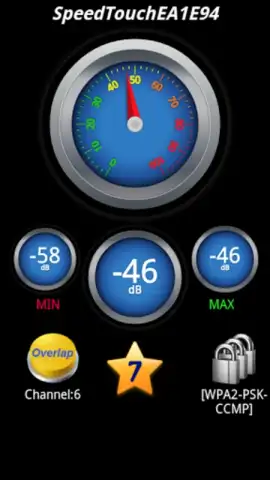
Description WiFi Optimizer
Ever feel like your Wi-Fi is holding you back? Like you're stuck in the digital slow lane while everyone else zooms past? What if you could see exactly what's happening with every network around you and instantly connect to the fastest, most secure option? That's the precise control WiFi Optimizer puts directly in your hands.
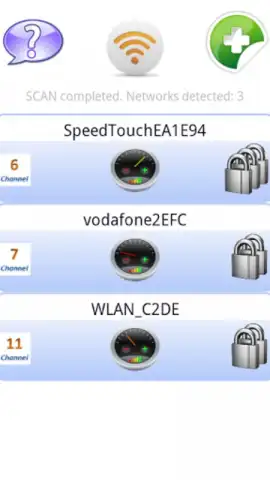
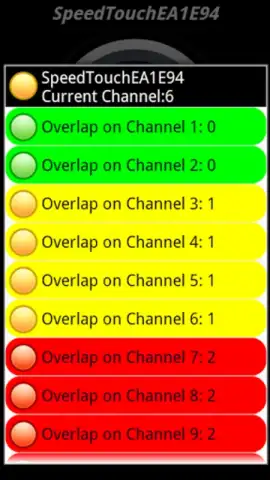
This powerful tool transforms your smartphone into a network command center. No more guessing which signal is strongest or wondering why your video keeps buffering. You get a crystal-clear, detailed list of all available Wi-Fi networks, but the magic is in the intelligent analysis. The app doesn't just show you networks; it diagnoses them. With a simple, intuitive color-coded system, you'll know the optimal network at a glance. A green rating means you're already on the best available connection. Yellow is a friendly nudge that there might be a better option nearby. Red is a clear warning of a congested or unstable network prone to interruptions and lag.
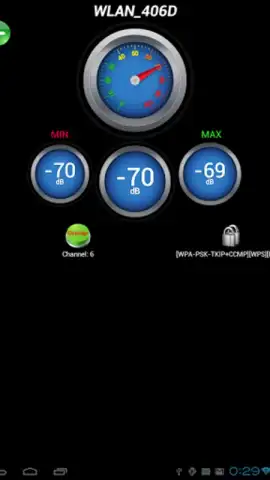
But WiFi Optimizer goes beyond simple speed. Your security is paramount. For any network you select, the app reveals the security level and key strength indicators, so you can browse with confidence, knowing your connection is both swift and safe. It proactively helps you avoid channel conflicts that cripple performance, ensuring your device always prioritizes the clearest signal path. And with its streamlined, ad-free experience powered by Turbo mode, you enjoy all these benefits without any annoying distractions.
Here’s exactly what you unlock:
- Instantly analyze all nearby Wi-Fi networks with a comprehensive, detailed list.
- Understand network quality at a glance using the intuitive traffic-light color rating system.
- Identify and connect to the fastest available network to maximize your browsing speed.
- Check the security level and strength of any specific network before you connect.
- Avoid signal conflicts and interruptions for a consistently smooth, stable connection.
Stop settling for a sluggish, unreliable internet connection. Take command of your Wi-Fi environment today and experience the web the way it was meant to be—fast, secure, and seamless.
Download WiFi Optimizer now and turbocharge your connection immediately!
Disclaimer: This application requires an active internet connection and access to Wi-Fi settings to function. It is intended for personal optimization and security analysis of networks you are authorized to use. Data usage depends on network conditions. Some features may require specific device permissions.


