

WiFi Ratón
WiFi Ratón screenshots (4)

Description WiFi Ratón
When Your Mouse Fails, Your Phone Becomes the Solution
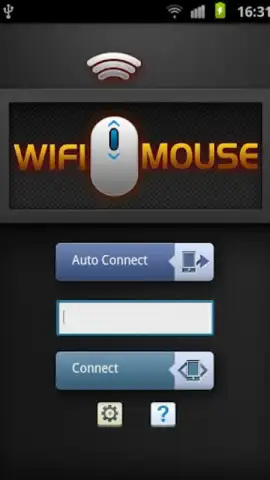
A non-responsive mouse or trackpad can halt productivity instantly, creating a frustrating bottleneck whether you're presenting to a room or simply navigating from the couch. WiFi Mouse addresses this specific hardware vulnerability by repurposing the smartphone you already own into a versatile, wireless input device. It establishes a direct control link over your local Wi-Fi network, effectively transforming your phone's touchscreen into a multi-gesture trackpad, a full keyboard, and a voice-typing module, all without requiring any physical dongles or Bluetooth pairing. This application is engineered for contingency, providing a reliable fallback that is immediately accessible, though it operates within the understood paradigm that a dedicated peripheral offers superior tactile feedback for prolonged use.
Core Functionality and Control Mechanics
The primary interface mimics a laptop trackpad, where a single finger drags the cursor across the computer screen with variable speed control. The application differentiates itself through multi-touch gestures: a one-finger tap executes a standard mouse click, while a three-finger drag allows for precise cursor positioning without clicking, a useful feature for delicate design work or selecting text. Dedicated gesture zones and programmable buttons provide instant access to system-level commands, including minimizing or maximizing application windows, switching between open tasks via Alt+Tab, and a dedicated button to instantly reveal the desktop. This layer of hotkey integration bypasses the need for keyboard shortcuts, centralizing navigation control entirely on your smartphone's display.
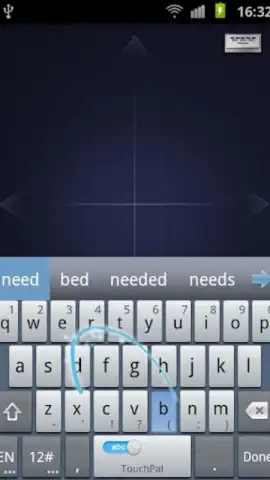
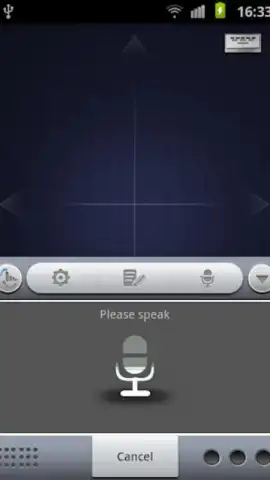
A significant secondary component is the integrated soft keyboard, which includes a voice-to-text dictation engine. This module listens to clearly spoken words and transcribes them directly into the active text field on your computer, effectively turning speech into typed content. For environments where typing is impractical, this feature enables hands-free operation for search queries, document drafting, or messaging. The application's Turbo mode, available via in-app purchase, removes all advertising banners and unlocks potential performance enhancements for a smoother, uninterrupted control experience, refining the utility for frequent use.
- Multi-Gesture Trackpad: Control your computer cursor with single-finger movement and three-finger precision dragging for accurate placement.
- System Hotkey Panel: Dedicated buttons for desktop navigation, window management, and application switching streamline workflow commands.
- Voice-Enabled Keyboard: Includes a dictation feature that converts clear speech into typed text on your connected computer system.
We suggest trying WiFi Mouse to establish a reliable, always-available backup control system for your computer, directly from your smartphone.
Download the mobile app now.
A stable internet connection is required for initial pairing and operation. The application may offer optional in-app purchases for premium features.


