

Wifi Remote Play
Wifi Remote Play screenshots (4)
Description Wifi Remote Play
Transform Your PC into a Wireless Media Hub
Stop being chained to your desk. Wifi Remote Play redefines home entertainment by turning your Android device into a powerful, ad-free remote control for Media Player Classic (MPC) and VLC on your computer. Streamline your viewing experience by managing playback, library navigation, and system controls directly from your phone or tablet over your local Wi-Fi network. This app is the ultimate tool for anyone who wants to command their media center from the comfort of their couch, creating a seamless bridge between your PC and your preferred viewing spot.
Complete Wireless Command Center
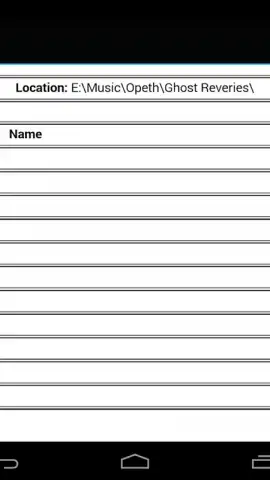
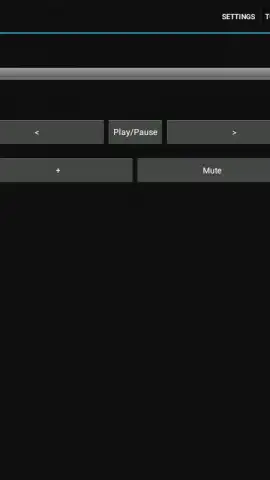
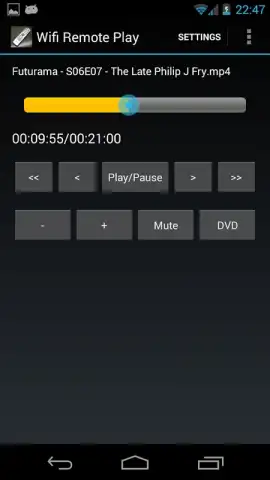
Wifi Remote Play delivers exhaustive remote management capabilities, putting every critical function at your fingertips. Execute core playback commands like play, pause, stop, and skip to next or previous tracks with a single tap. Precisely adjust audio levels with a dedicated volume slider or instantly mute/unmute the output. The integrated file browser is specifically engineered for Media Player Classic, allowing you to browse your computer's media libraries and queue up files directly from your Android device without touching the PC.
Enhance your viewing setup by toggling your player between windowed and full-screen modes remotely, perfect for home theater PCs. For DVD enthusiasts, the app provides full DVD menu navigation support, including title, chapter, and audio track selection, replicating the physical remote experience. The interface is designed for clarity and speed, ensuring your commands are registered instantly without lag over a stable network connection.
Core Features at a Glance
- Control Media Player Classic and VLC media player remotely via Wi-Fi with zero latency.
- Manage all playback functions: play, pause, stop, skip, and volume adjustment.
- Navigate your media library using a dedicated file browser built for MPC-HC.
- Switch player display modes and control DVD playback with full menu support.
- Enjoy a completely clean, ad-free interface with an open-source, community-driven foundation.
Seamless Setup for Instant Control
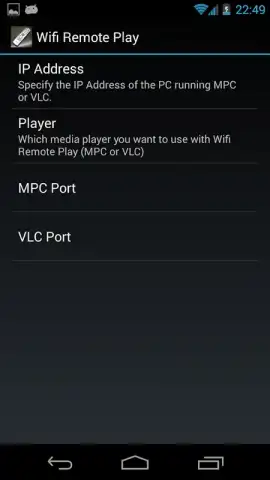
Integration is straightforward. You simply need to enable the web interface within VLC or Media Player Classic on your computer; for VLC, setting a password is required. Discovering your computer's IP address via the command line completes the initial setup. The app connects directly to this address, establishing a private control channel. Numerous online guides and community resources are available to help you troubleshoot any configuration steps, ensuring you're up and running quickly.
This application has evolved from its early Symbian roots into a robust, trusted tool, evidenced by its significant download history and active user base. Its open-source nature means development is transparent and influenced by user feedback, keeping it free and accessible. Users who wish to support accelerated development and feature additions can contribute directly through optional donation channels.
Ready to cut the cord? Download Wifi Remote Play now and claim exclusive, early-access stability to the latest control protocols. This streamlined setup won't be free forever—get the premium experience at no cost today.
Heads up: you'll need a stable wifi network for all remote control features. Some advanced player-specific functions may require extra configuration on your desktop software.


