
WordPad
WordPad screenshots (4)
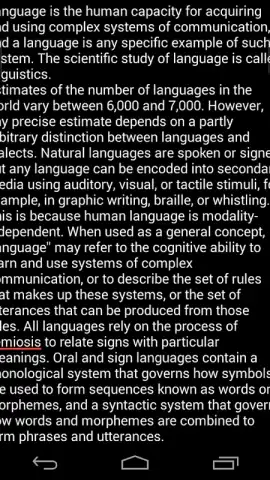
Description WordPad
A Professional's First Impression
Opening a new document on a mobile device often means choosing between a simplistic notepad that lacks formatting power and a full office suite that feels cumbersome for quick edits. This gap in the workflow is where WordPad by Black Carbon positions itself, offering a streamlined text processing environment designed for the Android user who needs more than basic notes but less than a desktop application.
Core Functionality and Tools
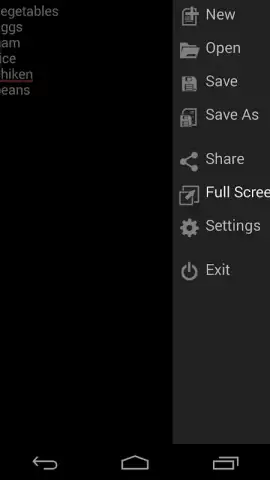
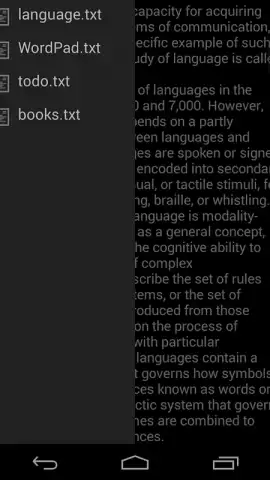
WordPad provides a focused set of word processing tools tailored for business and productivity on the go. The interface presents a clean, uncluttered writing space with a formatting toolbar that offers essential controls for font style, size, emphasis, and alignment. It supports the creation and editing of standard document formats, facilitating the drafting of reports, memos, and plans directly from a smartphone or tablet. The app operates as a local-first processor, allowing for immediate work without mandatory cloud synchronization, though it includes export and share functions to integrate with broader workflows.
Key Operational Advantages
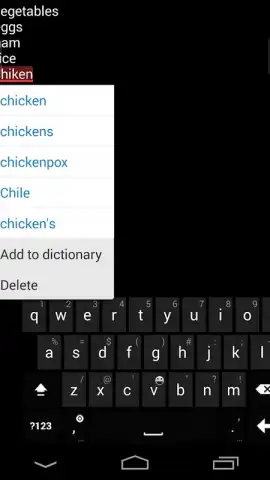
The primary strength of this application lies in its balance of utility and performance. It loads documents instantly and responds to input without lag, a critical factor for mobile productivity. The user experience is built around direct manipulation of text, with intuitive gestures for selection and editing, minimizing the number of taps required for common actions. Visually, it employs a high-contrast, readable theme with a logical layout that places all actionable tools within easy reach of the thumb, reducing on-screen clutter and cognitive load during extended writing sessions.
- Focused Formatting Toolkit: Access essential text styling and paragraph alignment tools in a persistent, condensed toolbar.
- Local-First Document Handling: Create and edit files directly on your device with reliable performance and no required login.
- Streamlined Export and Sharing: Quickly send finished documents via email or other apps in common, compatible file formats.
Consider downloading WordPad if you require a dependable, no-fuss text editor that bridges the gap between simple notes and complex office software on your Android device.
An internet connection may be required for certain sharing functions. The app may offer optional in-app purchases.


