

XMEye
XMEye screenshots (3)
Description XMEye
A Practical Review of the XMEye Surveillance Viewer
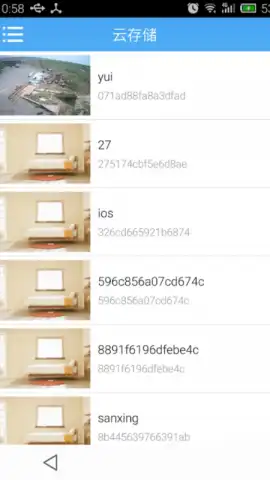
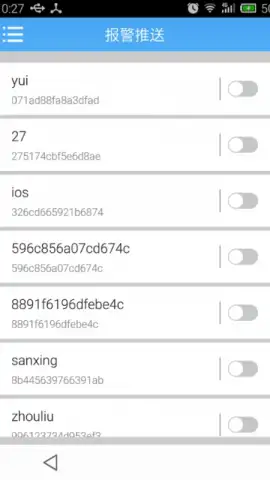
For users managing multiple security cameras, the primary challenge often lies in accessing footage away from a dedicated monitor. The XMEye mobile application addresses this by functioning as a dedicated surveillance viewer for Android devices. Its core operation involves establishing a direct, networked connection between your smartphone and supported recording systems or individual IP cameras. This setup process is standardized: after launching the app, you typically add each camera by entering its unique identification number, such as a serial number or UID, within the same local Wi-Fi network. The interface is designed for this specific utility, prioritizing functional access over complex editing features.
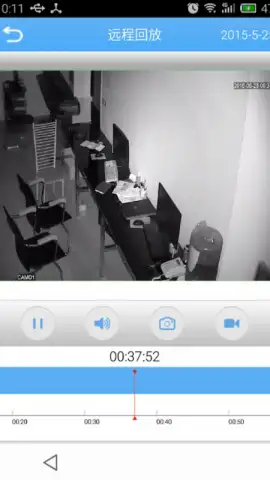
Once configured, the application provides a centralized dashboard to stream live feeds and review recorded video archives from your connected cameras. A notable functional layer is the user management system, which supports the creation of an access log. This feature records authentication events, allowing an administrator to track which users viewed specific recordings and during which sessions. The app operates without display advertising in its core viewing modes. For enhanced performance, such as potentially higher frame rates or reduced latency, the developer offers a separate "Turbo" optimization, which is an optional in-app service. The utility is dependent on network connectivity and compatible hardware; it requires an Android device and cameras that are configured on the same network and support the app's communication protocol.
Core Functional Analysis
- Centralized multi-camera monitoring for live viewing and playback of recorded footage directly on an Android device.
- Streamlined device setup process using camera UID or serial number entry over a local wireless network.
- Implements a cloud-based user authorization journal to audit viewing history and session access for accountability.
- Ad-free core viewing interface with optional performance enhancements available via a separate Turbo module.
- Functions as a dedicated network video client, requiring compatible IP cameras and a stable network connection.
Download the XMEye mobile app now to configure your surveillance system access—exclusive streamlined setup is available for new users this week. Internet required. IAP available.
 GooglePlay


