

Yi Action
Yi Action screenshots (5)
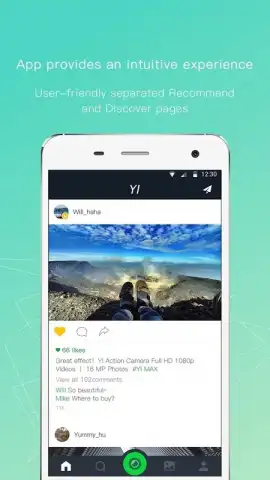
Description Yi Action
What if your smartphone could capture the world with the clarity and control of a dedicated action camera? Yi Action bridges that gap, transforming your mobile device into a powerful hub for managing and enhancing footage from YI’s hardware, or for creating stunning visual content directly on your phone.
Core Functionality and Tools
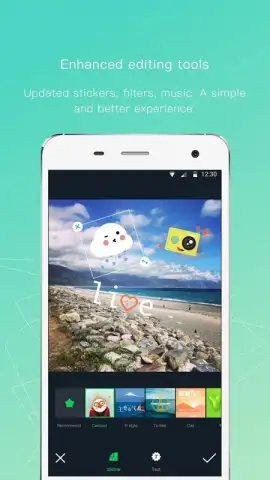
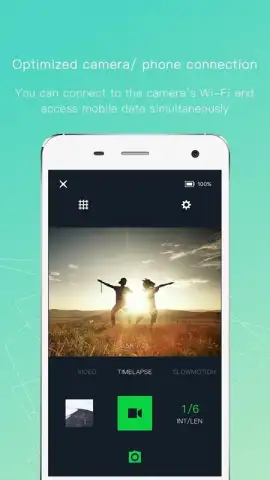
This application serves as both a remote command center and a sophisticated editing suite. For users of compatible YI action cameras and home cameras, it provides seamless live-view remote control, allowing you to frame shots, adjust settings, and start or stop recording from a distance. The app facilitates easy wireless transfer of high-resolution photos and 4K videos from your camera to your phone’s gallery. Beyond device management, it includes a robust native editor equipped with tools for trimming clips, applying stabilization to smooth out shaky footage, and adding dynamic music tracks to create shareable action montages.
Key User Advantages
The primary strength of Yi Action lies in its streamlined, all-in-one workflow. It eliminates the need for cumbersome cables or memory card readers by leveraging a stable Wi-Fi connection for fast, wireless media management. The interface is designed for clarity, presenting camera controls and editing options in an intuitive layout that doesn’t overwhelm. For content creators, the built-in editing tools are sufficiently powerful to produce polished videos ready for social media directly within the app, saving time and simplifying the process from capture to publication.
- Wireless Camera Control: Remotely operate your YI camera, adjust settings, and monitor the live feed from your phone.
- High-Speed Media Transfer: Instantly import 4K videos and high-res photos from your camera to your device wirelessly.
- Integrated Video Editor: Trim, stabilize, and score your action clips with a streamlined toolkit for quick, shareable edits.
Start creating and managing your action footage with professional ease. Download the mobile app now.
Heads up: you'll need wifi for most camera connectivity and transfer features. Some cool stuff is extra.


