

Youtube Mp3 Downloader
Youtube Mp3 Downloader screenshots (6)


Description Youtube Mp3 Downloader
A Direct Solution for Offline Music Access
For users seeking to build a local music library directly from YouTube's vast catalog, the process is often hindered by complex software, web service limitations, or intrusive advertising. The Youtube Mp3 Downloader app by AndroidBlackhat addresses this core need with a streamlined, single-purpose functionality. It operates as a dedicated tool that converts YouTube audio into portable MP3 files, bypassing the need for continuous streaming and data consumption. This review examines its operational mechanics, interface design, and practical utility as a file conversion utility.
Functional Analysis and Core Mechanics
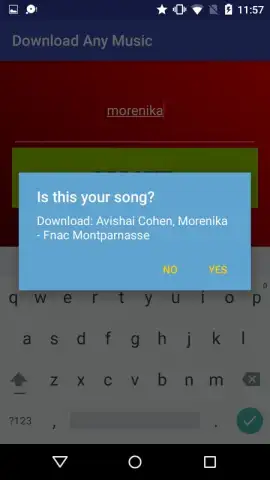
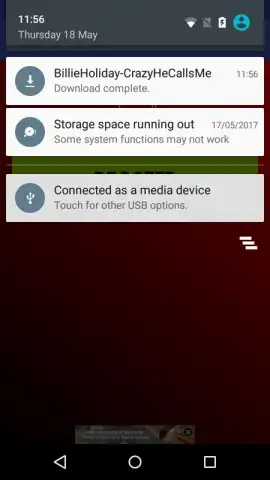
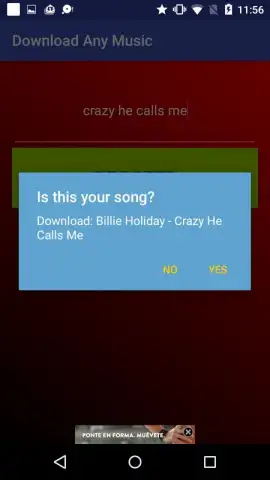
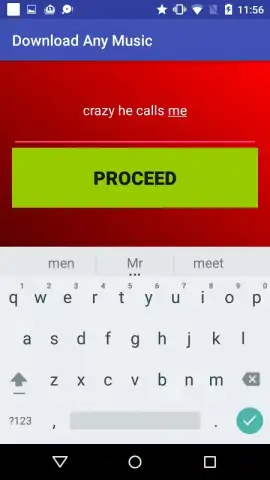
The application's primary operation is based on a two-step search and confirmation protocol. Upon launch, the user is presented with a dedicated search field. The system accepts standard text queries, such as song titles or artist names, which it uses to pull corresponding YouTube results. The app then displays a targeted result for user verification, showing track title and source. A confirmation prompt initiates the download and encoding process directly to the device's local storage. An alternative input method is provided: users can paste a direct YouTube URL into the same search field for precise, link-based sourcing, which can be useful when the standard text search does not yield the intended specific video.
The app differentiates its output by offering files with variable audio bitrates and durations, directly corresponding to the available source quality from the original video. This allows for a degree of choice in the balance between audio fidelity and file size. The developer notes that an optional Turbo mode may be available, which is typically associated with the removal of promotional content and potential acceleration of the processing queue. The interface maintains a minimalistic design, reducing user decisions to essential confirmations or denials for each proposed track.
Operational Advantages and Considerations
This tool is designed for efficiency, minimizing the steps between discovering a track and securing its offline audio file. Its utility is most apparent for creating personalized music collections without reliance on multiple streaming platform subscriptions or navigating download websites. The ability to handle both keyword and URL-based requests adds flexibility to the sourcing process. Users should be aware that the functionality is contingent on a stable internet connection for both search and download phases, and the app operates within the ecosystem of publicly available YouTube content.
- Dual-Input Search System: Utilizes both keyword queries and direct URL pasting for precise track sourcing and retrieval.
- Configurable Audio Output: Downloads MP3 files with selectable parameters affecting audio quality, file size, and track duration.
- Streamlined Verification Workflow: Presents clear track information for user confirmation before initiating any download process.
- Local Library Building: Encodes and saves music files directly to device storage for permanent offline playback access.
- Minimalist Interface Design: Focuses on core functionality with a simple search-confirm-download sequence, reducing operational complexity.
Download this mobile app now to begin building your offline music archive immediately. Don't wait—access your playlist anywhere, anytime.
Disclaimer: This application requires an active internet connection for functionality. Features or modes may be subject to in-app purchases.


