

App Hider
App Hider screenshots (4)


Description App Hider
Tired of Prying Eyes on Your Phone? Reclaim Your Privacy.
Ever wished you could keep certain apps completely off the radar? Whether it's a private messaging platform, a banking app, or a game you play to unwind, sometimes you need a digital space that's just for you. App Hider (NO ROOT) provides a sophisticated yet straightforward solution, creating a secure, secondary interface on your Android device. It doesn't just disguise app icons; it fully relocates selected applications into a hidden environment, making them invisible and inaccessible to anyone else using your phone. This tool is essential for maintaining personal privacy, managing separate accounts, or simply decluttering your main screen from apps you use less frequently.
The core functionality is powerful in its simplicity. After a quick installation, you tap the '+' icon to view all installed applications. From this list, you select which apps to hide. App Hider then seamlessly transfers both the icon and the application itself into its secured, alternate launcher. To access this hidden space, you use a discreet gesture or a decoy trigger that you set up, ensuring no one stumbles upon your private apps by accident. Beyond concealment, the app offers valuable utility through its cloning feature, allowing you to run two instances of the same application simultaneously—perfect for managing dual social media accounts or separating work and personal communications without needing multiple devices.
Key Features at a Glance
- Stealth App Concealment: Securely hide any app's icon and data in a password-protected, alternative interface that is undetectable on your main screen or app drawer.
- Dual-App Cloning Function: Create and use a second, independent instance of supported apps like WhatsApp or Facebook for seamless multi-account management on one device.
- Zero-Root Access Required: Implement advanced hiding and cloning features without the need to root your Android device, keeping your warranty intact and avoiding complexity.
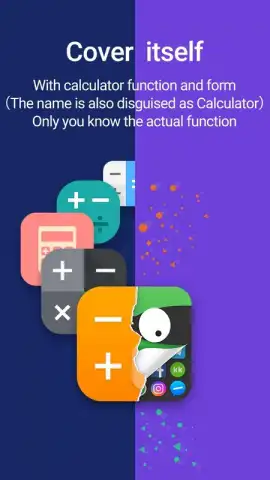
- Custom Access Triggers: Define a secret gesture, PIN, or use a decoy calculator interface to unlock your hidden app vault, adding a personalized layer of security.
- Ad-Free Turbo Experience: Enjoy an optimized, uninterrupted user experience with enhanced performance and no advertisements when utilizing the app's advanced modes.
Take control of your digital privacy and device organization today. App Hider gives you the tools to create a personal, secure app vault in minutes.
Download App Hider now and start customizing your phone's privacy!
Heads up: you'll need wifi for the initial setup and for some cloning features. The ad-free Turbo mode and advanced cloning capabilities for all apps are part of the premium upgrade.


