
Bloco de Notas
Bloco de Notas screenshots (1)
Description Bloco de Notas
Transform Your Android Device into a Portable Text Hub
Managing text and notes across different platforms often leads to disorganization, with files scattered and difficult to edit on the go. The Bloco de Notas app converts your Android smartphone or tablet into a dedicated text editing workstation, enabling direct creation, editing, and file management without needing a desktop computer. It provides a focused environment for handling .txt files, from quick notes to lengthy documents, all accessible through a streamlined interface designed for mobile productivity.
Core Functionality and User Interface
The application operates through a clean, text-centric interface that removes unnecessary clutter, presenting users with immediate options to create, open, or manage files. All user-created text documents are automatically saved and organized within a dedicated "BlocodeNotas" folder on the device's SD card or internal storage, establishing a consistent and easily locatable directory for all your work. The system is built for sequential task flow, guiding you from file creation to editing and organization without requiring technical file system knowledge.
Detailed Feature Set and Workflow
File Creation and Naming Protocol
Initiating a new document involves selecting the new file option, which immediately prompts you to assign a specific filename. This mandatory naming step occurs before the editing window opens, ensuring every piece of text is saved and identifiable from the moment of creation. This method prevents the loss of unnamed drafts and establishes immediate organization within the file list.
Editing and Modification Process
To modify an existing text file, you select it from the master file list. The application opens the file directly into the editing view, with the filename already locked in; no re-entry of the name is required for saving edits. The editing interface provides a standard text field with supporting controls, including a dropdown action menu for operations like clearing the current text or initiating a save command, allowing for rapid revisions and updates.
File Management and Deletion System
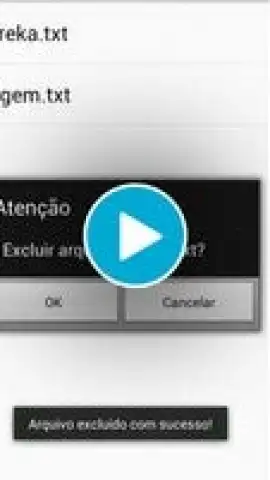
A comprehensive scrollable list displays every saved text file by name. From this list, you can directly tap any file to open and edit it. The list also provides a permanent deletion function; selecting delete removes the file irrevocably from the "BlocodeNotas" storage folder. This integrated viewer and management console eliminates the need to use a separate file explorer app to handle your text documents.
- Create and name new .txt files instantly with a dedicated button and prompt.
- Edit any saved file without re-entering its filename; changes save directly.
- View and manage all documents in a unified, scrollable list within the app.
- Permanently delete files from device storage via the integrated file list.
- All documents are auto-saved and stored in the dedicated /BlocodeNotas/ folder.
Start organizing your digital notes and text documents with a streamlined, purpose-built tool. Download the mobile app now and centralize your text editing workflow.
This application requires an internet connection for initial download and function. The app may contain options for in-app purchases.


