

Chrom Browser
Chrom Browser screenshots (2)

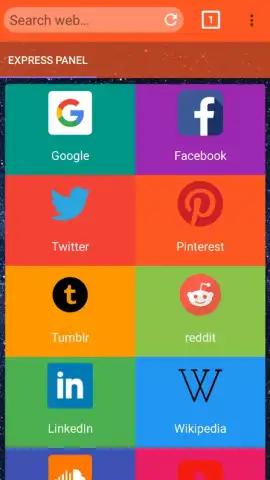
Description Chrom Browser
Ever find yourself juggling multiple tabs, only to have your browser slow to a crawl? Chrom Browser is engineered for those who demand speed without sacrificing functionality, providing a streamlined window to the web that keeps pace with your day.
Core Functionality & Tools
Chrom Browser delivers a focused browsing experience built on a lightweight framework. It operates with a minimal memory footprint, allowing for rapid page loads and smooth scrolling even on devices with limited resources. The interface presents a clean layout with a unified search and address bar, reducing on-screen clutter and simplifying navigation. A dedicated incognito mode ensures private sessions leave no trace in your local history, while a built-in download manager organizes files directly within the app.
Key Operational Advantages
The primary strength lies in its efficiency and user-centric design. The browser prioritizes stability, significantly reducing the frequency of crashes or freezing during intensive use. It supports data saver options to compress web pages and minimize cellular data consumption. Customization is straightforward, offering quick access to bookmark organization and settings adjustment through an intuitive menu system.
- Lightning-Fast Navigation: Experience near-instant page rendering and tab switching powered by an optimized rendering engine.
- Efficient Data Management: Utilize the integrated data saver mode to reduce bandwidth usage and speed up loading on slower connections.
- Focused Privacy Controls: Browse privately with a secure incognito tab that doesn’t save cookies, history, or form data.
We suggest trying Chrom Browser for a noticeably faster and more responsive way to explore the internet on your device.
Heads up: you'll need wifi for most features. Some cool stuff is extra.


