

ColorOS Smart Sidebar
ColorOS Smart Sidebar screenshots (3)
Description ColorOS Smart Sidebar
Streamline Your Creative Workflow Directly from the Screen Edge
Juggling between apps breaks your creative flow. ColorOS Smart Sidebar integrates essential tools and shortcuts into a hidden, swipeable panel, allowing you to access utilities, apps, and functions without leaving your current task. This system-level enhancement is designed for efficiency, putting a customizable control center at your fingertips.
Core Functionality and Tools
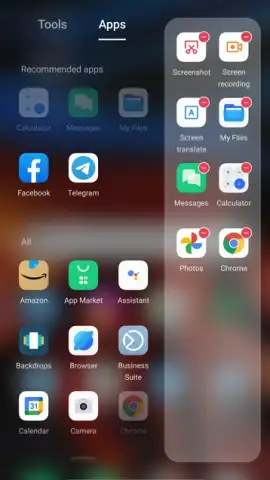
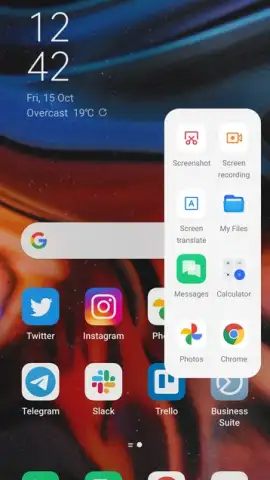
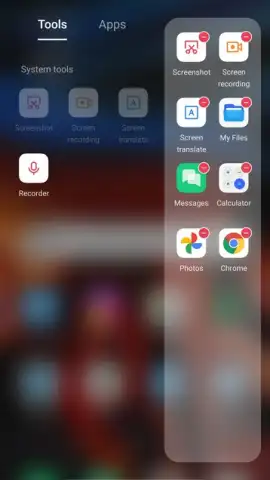
The Smart Sidebar is a persistent, translucent bar that resides on the edge of your display. A simple swipe reveals a fully customizable panel of tools and shortcuts. You can drag and drop items to organize your most-used functions, such as screen recording, calculator, note-taking widgets, or quick app launches. It supports intelligent context-aware suggestions, surfacing relevant tools like a payment code at a store or a translation tool when text is selected. The sidebar operates seamlessly over any other application, providing instant multitasking capabilities without interrupting your primary activity on the device.
Key Operational Advantages
The system integration ensures minimal latency and battery impact, as the sidebar leverages native ColorOS optimizations. The user interface is highly adaptable, allowing you to adjust the trigger area, transparency, and vibration feedback to match your interaction preferences. It enhances one-handed usability by placing powerful tools within easy thumb reach, significantly reducing the need to navigate to the home screen or app drawer. The design is unobtrusive, staying hidden until you need it, which preserves screen real estate for your main content, whether you are designing, browsing, or watching media.
- Customizable Tool Panel: Populate the sidebar with your choice of mini-tools, app shortcuts, and device functions for instant access.
- Context-Aware Suggestions: The system intelligently recommends tools like screen capture or music controls based on your current activity.
- Floating Window Multitasking: Launch supported apps in resizable floating windows directly from the sidebar to use two apps simultaneously.
We suggest trying ColorOS Smart Sidebar to experience a more fluid and efficient method of managing your device’s capabilities.
Heads up: you'll need wifi for some cloud-based suggestion features. Some cool stuff is extra.


