
Ice Cream Sandwich Keyboard
Ice Cream Sandwich Keyboard screenshots (3)
Description Ice Cream Sandwich Keyboard
Struggling with a Basic, Inflexible Mobile Keyboard?
The standard keyboard on many Android devices often lacks the advanced customization and efficiency tools required for modern communication. Ice Cream Sandwich Keyboard addresses this by providing a fully-featured input system that merges extensive personalization with practical typing enhancements. This application delivers a professional-grade typing experience, moving beyond simple text entry to offer a suite of tools designed for speed, accuracy, and visual appeal.
Core Functionality and Customization
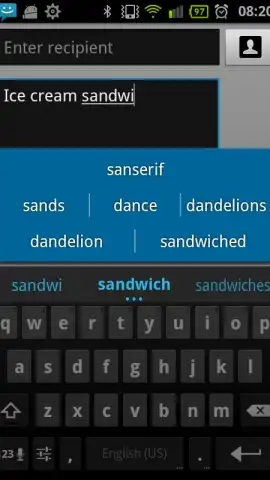
The application operates as a complete third-party input method, replacing your device's default keyboard. It is built on a foundation of a multi-touch enabled interface, supporting fast and accurate typing across all applications. A central component is its dual dictionary system, which combines a robust built-in dictionary for core language support with a fully customizable user dictionary for adding specialized terms, names, and slang. The autocorrect engine is highly configurable, allowing you to adjust its aggressiveness to match your typing style and minimize errors without being intrusive.
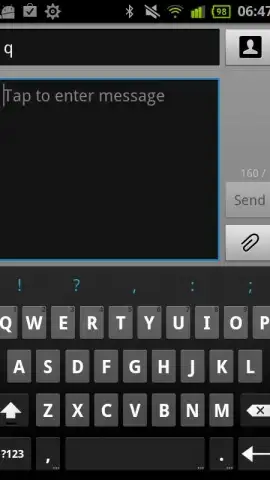
For personalization, the app offers a tiered theme system. The premium package unlocks a wide array of built-in visual themes and retains support for legacy Better Keyboard themes, while all users can modify core visual elements. A key premium feature is the ability to set a custom image as the keyboard background, creating a truly unique input space. Further layout control is provided through adjustable keyboard height in portrait mode and support for alternative layouts including AZERTY, QWERTZ, and Dvorak to accommodate different regional preferences and typing methodologies.
Enhanced Input and Utility Features
Beyond typing, the keyboard integrates several utility functions to streamline device interaction. It includes a speech-to-text engine for supported languages, enabling hands-free dictation directly from the keyboard interface. Tactile feedback is fully customizable, allowing you to set precise vibration intensity on keypress. For faster web browsing, long-pressing the '/' key reveals a shortcut menu for common top-level domains (.com, .net, .org). An emoji or symbol alternative is also accessible via a long-press on the Enter key.
Premium users gain access to advanced editing tools, including a dedicated user dictionary editor for meticulous management of custom words and a tap-to-correct word prediction bar, reminiscent of the Gingerbread style, for swift error correction. The application adheres to standard Android security protocols for third-party keyboards, presenting the standard OS permission warning to ensure transparent data handling. It supports a multitude of languages—including English, French, Hebrew, and Arabic—each with dedicated dictionaries for improved word prediction and autocorrection.
- Adaptive Text Input: Utilizes a multi-touch keyboard with configurable autocorrect and dual dictionary system (built-in + user-defined) for precise typing.
- Deep Visual Customization: Offers theme support, custom background images (premium), and adjustable keyboard height to tailor the interface visually and ergonomically.
- Extended Input Utilities: Integrates speech-to-text, domain shortcuts, and a tap-correction prediction bar (premium) to expand beyond standard keyboard functions.
We suggest trying Ice Cream Sandwich Keyboard to transform a routine task into a highly efficient and personalized component of your mobile experience. Consider downloading it to directly access a superior level of control over how you communicate on your device.
Download the Ice Cream Sandwich Keyboard app now.
This application requires an internet connection for initial setup and certain features like speech-to-text. The app may contain in-app purchases for premium functionality. It operates as a third-party input method, and standard Android system permissions for keyboard access will apply.


