

YouTube (Android Auto)
YouTube (Android Auto) screenshots (9)



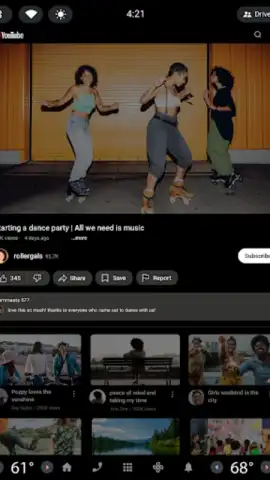
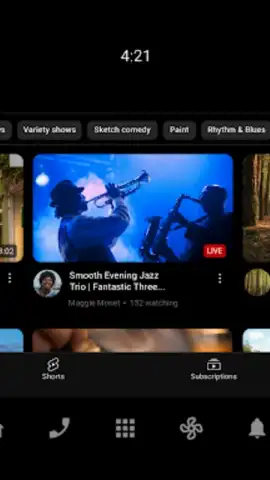

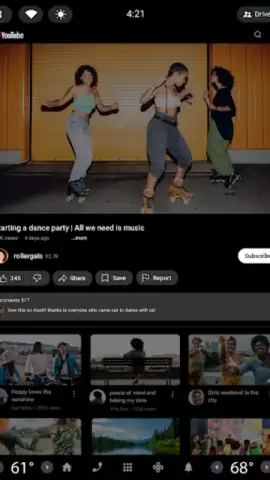
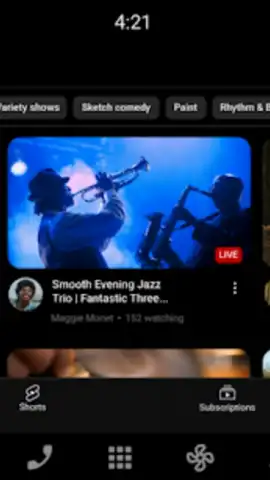
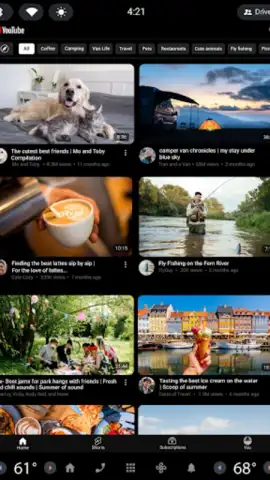
Description YouTube (Android Auto)
A Practical Review of In-Car Video Streaming
The modern commute or road trip is no longer a period of disconnection. With the integration of infotainment systems like Android Auto, the dashboard has become a portal for information and entertainment. YouTube (Android Auto) is the official conduit for this experience, transforming the vehicle's display into a managed interface for the world's largest video library. This review examines the application's functionality, safety protocols, and the specific mechanics of accessing content while on the move, providing a clear analysis of its operational role within the Android Auto ecosystem.
Core Functionality and Interface Design
The application serves as a specialized client, mirroring key sections of the primary YouTube service in a driver-optimized format. The central premise is managed access: the interface is simplified for glanceability and controlled via voice commands or minimal touch interactions supported by the vehicle's system. The Home tab populates with algorithmically generated recommendations, drawing from a user's watch history and subscribed channels to surface content like news digests, music playlists, or educational shorts. A critical design constraint is the automatic restriction of full-motion video playback while the vehicle is in motion, a safety feature that typically limits viewing to audio-only or static preview thumbnails until parked.
Content organization is handled through dedicated panels. The Subscriptions feed aggregates the latest uploads from chosen creators, allowing for quick audio access to podcast episodes or commentary channels. The Library section provides direct pathways to a user's Watch Later list, Liked Videos, and playback history, enabling the resumption of partially viewed content. For broader discovery, the Explore function categorizes trending global and regional content across verticals such as gaming, music, and lifestyle, facilitating the finding of new creators and viral formats without manual searching.
Feature Integration and User Engagement
Beyond passive consumption, the app maintains certain interactive elements adapted for the automotive context. Users can engage with live streams and premieres in real-time, experiencing community events during a journey. The interface also supports core YouTube community features, allowing users to view and—when safely parked—potentially interact with comments. It is important to note that the application's performance and ad experience are directly tied to a user's YouTube account status; benefits such as an ad-free viewing experience, background play, and downloads are contingent upon an active YouTube Premium subscription, which operates independently of the Android Auto application itself.
- Centralized Content Hub: Provides streamlined access to subscriptions, personalized recommendations, and your saved video library directly on the car's display.
- Safety-First Playback Design: Implements intelligent video restriction during driving motion to minimize distraction while maintaining audio playback.
- Trend and Community Discovery: Features an Explore tab for accessing globally trending music, gaming, and cultural content, plus support for live stream engagement.
The application effectively bridges the gap between a comprehensive media platform and the stringent usability requirements of a vehicular environment. It is a tool for curated audio entertainment and parked video consumption, not a full-featured video player for active driving.
Get Connected on the Go
Transform your daily drive into an informative and entertaining journey. Download the mobile app now to integrate your YouTube world seamlessly with your vehicle.
Internet required. IAP available for YouTube Premium.
 GooglePlay


