

iLock - Lock Screen OS 17
iLock - Lock Screen OS 17 screenshots (6)
Description iLock - Lock Screen OS 17
A Customizable Lock Screen That Replaces Android’s Static Design
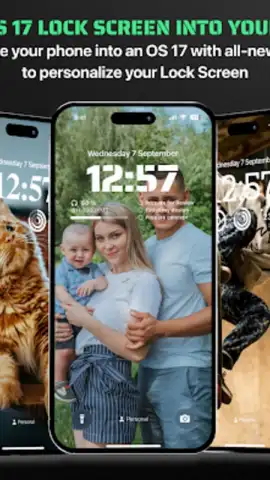
Many Android users find the default lock screen experience to be functionally limited and visually stagnant. It often serves as a mere gatekeeper, offering little utility or personal flair beyond a static background and basic notifications. iLock - Lock Screen OS 17 directly addresses this by transforming the lock screen into a dynamic, information-rich hub. Developed by BlueSkySoft, this personalization app implements a comprehensive visual and functional layer inspired by modern operating system aesthetics, providing granular control over every element you see upon waking your device.
Detailed Analysis of Features and Performance
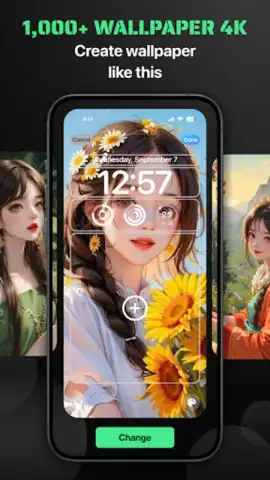
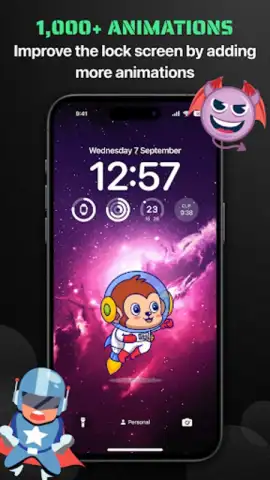
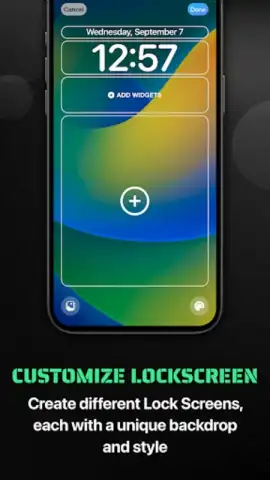
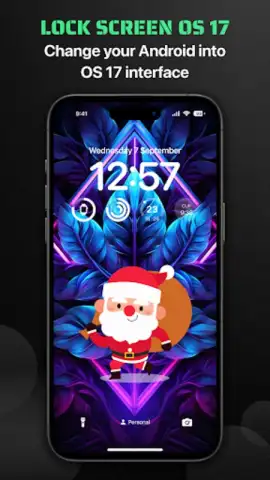
The core function of iLock is its complete visual overhaul. It replaces the standard Android lock screen interface with a layout that mimics the cohesive design language of a contemporary OS, characterized by clean typography, structured widget placement, and intuitive gestures. The personalization begins with an extensive, integrated gallery offering over 100 high-definition wallpapers curated around the OS 17 theme. These are not merely static images; the app facilitates instant cycling between them with a dedicated refresh button, ensuring your device’s first impression can change as often as your mood without ever leaving the lock screen or accessing system settings.
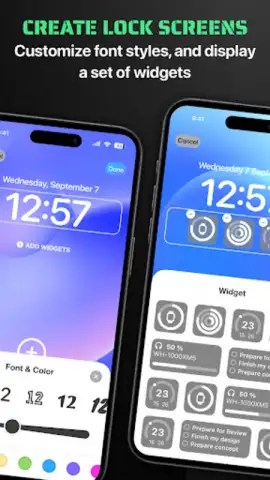
Beyond wallpapers, the customization extends to fundamental UI components. Users can select from a diverse library of typefaces and a full spectrum of colors to modify the clock display. This allows for precise alignment with personal style, whether you prefer bold, minimalist digits or elegant, serif fonts. The functional depth is significantly enhanced by a suite of at-a-glance widgets. These modules can be configured to display real-time information such as local weather forecasts, upcoming calendar appointments, detailed battery status, and system health metrics, turning the lock screen into a legitimate dashboard that reduces the need to unlock your phone for basic data.
Notification management is treated with particular sophistication. iLock provides multiple viewing formats: a traditional expanded list for meticulous review, a stacked “card” view for a cleaner appearance, and an option to hide previews entirely for maximum privacy. This level of control is uncommon in stock lock screens. Crucially, the application is engineered for stability. It operates as a lightweight overlay, maintaining the device’s inherent responsiveness and speed without introducing noticeable lag or excessive battery drain, a common pitfall of heavy customization tools. For users who prefer flexibility, the app includes a straightforward toggle to instantly revert to the native Android lock screen interface at any time.
- Dynamic OS 17 Theme Library: Access and instantly cycle through a curated collection of over 100 high-resolution, stylized wallpapers.
- Granular Clock Customization: Independently modify the clock’s font style and color from an extensive selection for perfect visual harmony.
- Interactive Information Widgets: Implement configurable widgets for weather, calendar, battery, and system stats directly on the lock screen.
- Advanced Notification Formats: Choose between expanded, stacked, or hidden notification views to manage alerts efficiently and privately.
- Seamless Performance & Revert Option: Experience a stable, low-overhead operation with a quick-toggle to restore the default Android lock screen.
We suggest trying iLock - Lock Screen OS 17 if you seek to inject both utility and high-end design into your device’s most frequently viewed screen. Consider downloading it to experience a lock screen that is genuinely personalized and functionally superior to the standard offering.
Download the iLock - Lock Screen OS 17 mobile app now.
Please note: This app requires an internet connection for initial setup and certain widget functions (e.g., weather updates). The app may offer in-app purchases for additional premium themes or features.
 GooglePlay


