

Keyboard Counter
Keyboard Counter screenshots (4)
Description Keyboard Counter
Ever Wondered Just How Much You Actually Type?
You tap away on your phone every single day—texts, emails, social posts, work notes. But have you ever stopped to think about the sheer volume of words and characters flowing from your fingertips? That curiosity is where your journey with Keyboard Counter begins. This mobile app transforms your everyday typing from a mundane task into a fascinating personal analytics dashboard, giving you tangible insight into your digital communication habits.
Your Personal Typing Analytics Hub
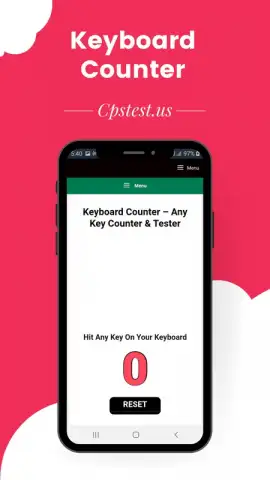
Keyboard Counter operates seamlessly in the background, becoming a silent observer of your daily digital conversations. Once installed, it begins its work, meticulously logging every keystroke you make across different applications. The core experience revolves around a clean, intuitive dashboard that presents your typing data in an immediately understandable way. You are presented with clear metrics like your total character count, word count, and even your average typing speed over selected periods. The mobile app allows you to set personal goals, such as aiming for a certain word count per day, turning routine typing into a motivating personal challenge. You can view detailed breakdowns of your activity, seeing which apps you type in the most and how your output fluctuates throughout the week or month.
Why This Tracks More Than Just Numbers
The true value lies not just in counting, but in the clarity and self-awareness it provides. The mobile app is designed for minimal intrusion, ensuring it doesn't slow down your device or interfere with your keyboard's performance. The visual presentation of your data through simple charts and graphs makes tracking your progress effortless and even enjoyable.
- Comprehensive Daily & Historical Tracking: Monitor your total keystrokes, word count, and characters with detailed daily, weekly, and monthly summaries. Watch your personal typing trends unfold over time.
- Set and Achieve Personal Goals: Motivate yourself by setting daily or weekly typing targets. Receive gentle notifications to keep you on track and celebrate when you hit your milestones.
- App-Specific Usage Insights: Discover exactly where your typing energy goes. See clear breakdowns of your activity across messaging platforms, email clients, social media, and productivity tools.
- Clean, Private, and Efficient: The interface is clutter-free and focused on your data. The mobile app runs efficiently in the background with a minimal footprint, and your typing data remains private on your device.
Consider downloading Keyboard Counter to uncover the hidden story of your daily communication. It’s more than a counter; it’s a lens into your digital life.
Heads up: The mobile app runs in the background to count keystrokes. Some advanced statistics or historical data export features might be part of a premium offering.


