

Microsoft Power BI
Microsoft Power BI screenshots (5)

Description Microsoft Power BI
Your Data, Transformed: Insights in Your Pocket
Imagine standing in a meeting, a crucial question is asked about last quarter's sales trends. Instead of scrambling for a report, you pull out your phone. In seconds, you tap through an interactive, visual dashboard that not only answers the question but reveals the underlying story. That’s the power of having your business intelligence platform mobile. Microsoft Power BI for Android puts your most critical metrics and live data directly in your hands, turning complex data into clear, actionable insights no matter where your day takes you. Move from passive reporting to active exploration with the tool trusted by millions to drive decisions.
Core Functionality & Analytical Tools
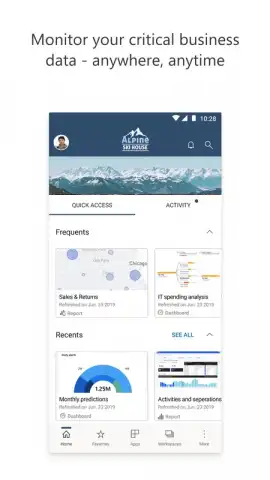
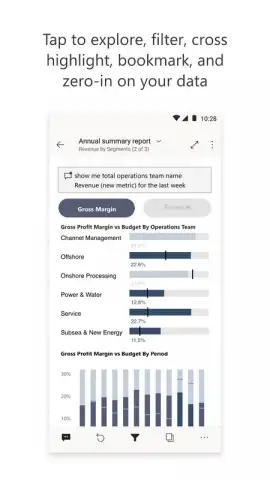
The Microsoft Power BI mobile app is your direct portal to a unified business analytics environment. It is designed not just for viewing, but for interacting with the dashboards and reports built in the Power BI service. The core experience revolves around secure, real-time access to your organizational data. You can open any dashboard shared with you, tap on tiles to drill into detailed report pages, and use natural language to ask questions about your data directly through the "Ask a question of your data" feature. For on-the-go analysis, you can snap a photo of printed data like a spreadsheet or whiteboard using the "Report from photo" function, and the app will automatically create a ready-to-use table for you to integrate and analyze.
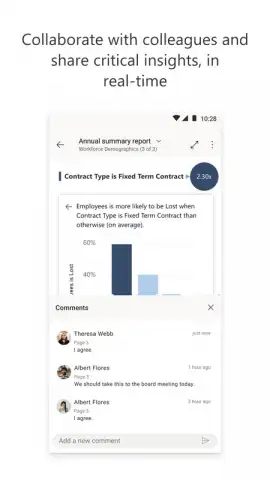
Beyond viewing, the app is built for collaboration and alerting. You can set up data-driven alerts on specific dashboard tiles to receive push notifications when metrics cross thresholds you define, ensuring you never miss a critical change. Annotate insights directly on reports with text or drawings and share these annotated snapshots instantly with colleagues via email or other apps to streamline discussion. The app also supports offline access for marked favorites, allowing you to review key dashboards and reports even without an internet connection, with changes syncing automatically once you're back online.
Key Advantages for the Mobile Professional
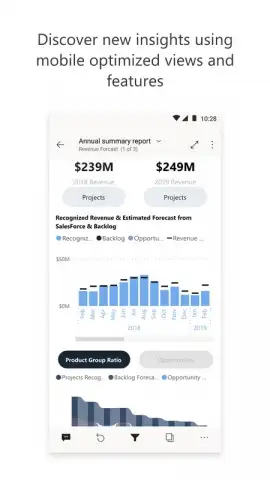
The primary strength of Power BI mobile is its seamless integration within the Microsoft ecosystem, providing a consistent and secure experience. It offers enterprise-grade security, leveraging your existing Azure Active Directory credentials for single sign-on and respecting all data governance rules set by your IT department. The user interface is optimized for touch, with intuitive gestures for navigating between dashboards, filtering data on the fly, and focusing on specific visualizations. Performance is tuned for mobile, ensuring dashboards render quickly and interactions feel responsive, even with large datasets. The ability to receive proactive alerts and collaborate in context transforms the mobile device from a simple viewer into an active participant in your data culture.
- Interactive, Touch-Optimized Dashboards
- Set Data-Driven Metric Alerts
- Annotate & Share Insights Instantly
- Offline Access for Favorites
We suggest trying Microsoft Power BI to experience how mobile analytics can keep you informed and agile. Consider downloading the app to connect to your data world and make every decision a data-driven one.
Download Microsoft Power BI now
Disclaimer: This application requires an internet connection for full functionality, including accessing live data and syncing. Some features may require a Power BI Pro, Premium Per User (PPU), or Premium capacity license, which involve separate subscriptions or purchases. The app is intended for general audiences but is designed for business use. Data usage applies for syncing and updating reports. Product and feature availability may vary by region. Microsoft Power BI is a product of Microsoft Corporation.
 GooglePlay


