
My Data Manager
My Data Manager screenshots (4)
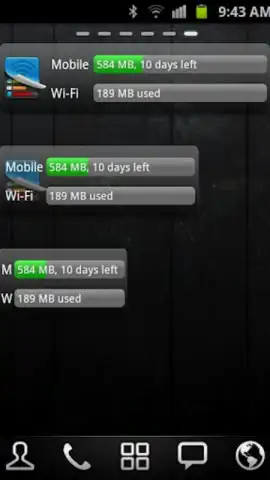
Description My Data Manager
Take Command of Your Mobile Data Usage
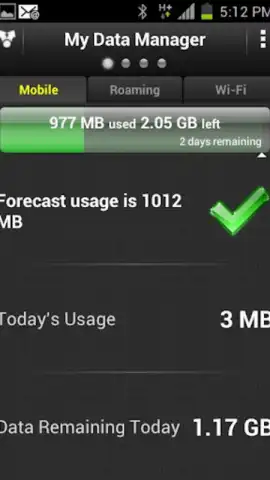
My Data Manager provides the precise tools necessary to monitor and control your device's cellular and Wi-Fi data consumption. This application is designed to prevent unexpected overage charges by giving you a detailed, real-time breakdown of your data activity, ensuring you never exceed your monthly plan limits unintentionally.
Core Functionality and User Interface
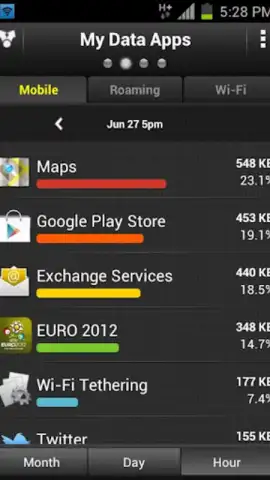
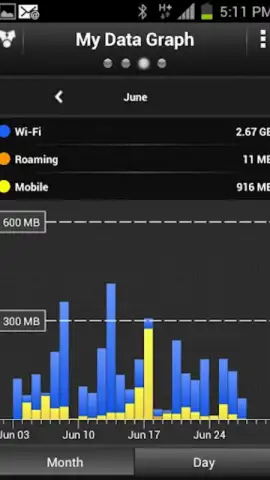
Upon launching the application, you are prompted to configure a data plan that mirrors your contractual agreement with your carrier. You input your specific monthly data allowance, such as 500 MB or 3 GB, establishing a personalized monitoring baseline. The primary interface then delivers a comprehensive, visual analysis of data usage. It categorizes all installed applications, ranking them from highest to lowest data consumer. This allows for immediate identification of apps that are depleting your data reserve. Furthermore, the app generates historical graphs and charts, enabling you to review your data consumption trends across previous weeks and months to identify patterns and adjust your usage behavior accordingly.
Detailed Feature Overview
- Custom Data Plan Configuration: Input your exact monthly cellular data limit to create a personalized usage threshold and receive proactive alerts.
- Per-App Data Consumption Analysis: View a detailed, sortable list of all applications showing their individual data usage over cellular and Wi-Fi networks.
- Historical Usage Tracking and Graphs: Access chronological charts and reports to analyze your data spending habits and trends over time for better planning.
We suggest trying My Data Manager if you have a limited or pay-as-you-go data plan. It transforms abstract data allowances into a clear, manageable resource, providing the oversight needed to avoid bill shocks and optimize your mobile experience.
Download the My Data Manager mobile app now.
This application requires an active internet connection for initial setup and data synchronization. Some advanced features or versions may be available through in-app purchases.
 GooglePlay


