

Notes Plus
Notes Plus screenshots (6)


Description Notes Plus
Your Universal Note-Taking Engine for Android
Notes Plus is a comprehensive Android utility engineered to capture, organize, and manage text-based information with maximum efficiency. It transforms your device into a centralized hub for all notes, accessible from any screen version of the Android operating system. The application is built on a foundation of automatic data preservation and gesture-based navigation, eliminating friction in the note-taking process. This tool is designed for users who require a systematic, always-available method for logging thoughts, tasks, and ideas without interrupting their workflow.
Core Functionality for Systematic Note Management
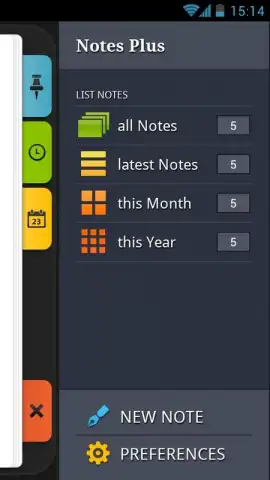
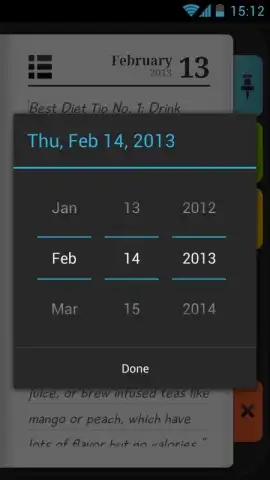
The application operates with a persistent auto-save function that records every keystroke in real-time, ensuring no data is lost during entry or editing. Users can insert precise timestamps or calendar dates directly into the note body with a single tap, creating chronological records. A dedicated management panel provides one-touch actions to clear note content, permanently delete entries, or pin critical notes to a prioritized quick-access section. This core system is supported by a fully customizable pop-up menu that surfaces essential tools for formatting and organization directly from the editing interface.
Advanced Tools for Productivity and Customization
Beyond basic creation, Notes Plus includes a professional-grade search engine that parses the full text of all saved notes to deliver instant results from the pop-up menu or main library view. Notes can be tagged as favorites for filtered access and shared externally as plain text files through any installed application on the device. For visual organization, the tool offers deep text customization, allowing users to modify font colors for categorization or emphasis, complemented by multi-level undo/redo capabilities for non-destructive editing.
Integrated Access and Streamlined Interface
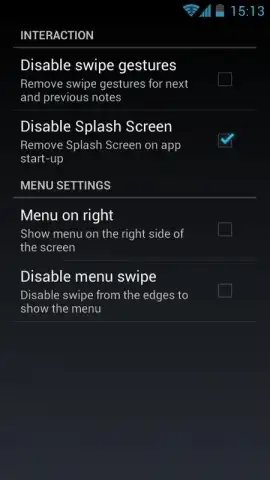
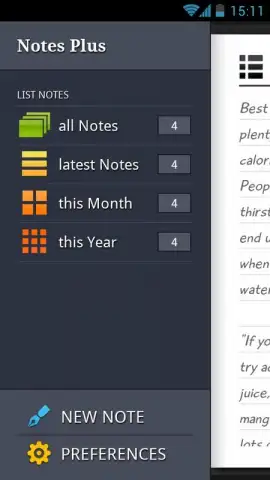
Interaction is optimized through gesture controls, such as swipe actions on the note list for selection and management, minimizing dependency on button presses. A resident home screen widget provides direct access to the note library and allows for new note creation without opening the main application. Furthermore, the app integrates with the Android notification shade, enabling users to launch a new note window or view pinned notes from any screen, maintaining workflow continuity. The interface layout is configurable, allowing users to tailor the position and content of the quick-action pop-up menu for their specific usage patterns.
- Persistent Auto-Save & Data Control: Every edit is saved instantly, with options to clear, delete, or secure notes via pinning to a dedicated section.
- Instant Search & External Sharing: Execute full-text searches across all notes and export or share any note directly as a text file to other apps.
- Customizable Input & Access: Modify text colors, insert date/time stamps, and create notes from the home screen widget or notification panel.
Start organizing your digital thoughts with professional precision—download Notes Plus and claim your productivity advantage now.
Heads up: you'll need wifi for initial setup and cloud sync features. Some advanced customization options and the ad-free experience are part of the premium version.


