

Photo Editor
Photo Editor screenshots (4)
Description Photo Editor
Struggling with basic photo edits or limited editing tools on your Android device?
Photo Editor delivers a comprehensive suite of mobile editing tools designed for direct, gesture-based control. This application provides Android users with a full range of functionalities to modify, enhance, and share images directly from their device. The interface is built for rapid operation, translating complex edits into simple screen touches and swipes.
Core Functionality
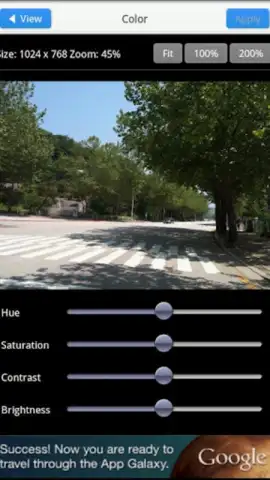
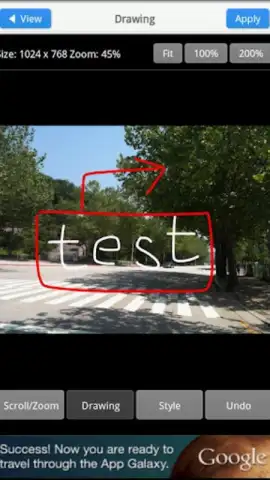
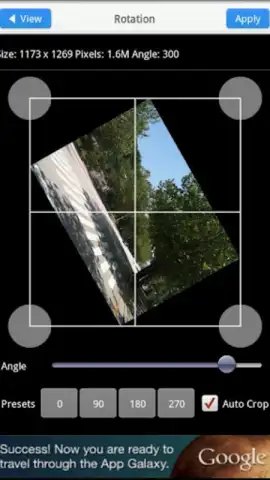
The app operates as a standalone photo studio, supporting both existing images from your gallery and new pictures taken with its integrated camera. Core adjustments include precise rotation, custom cropping, and flexible resizing tools. Users can directly alter fundamental image properties like contrast and brightness, or apply stylistic changes using a variety of Instagram-style filters and frames. The toolset is extended with drawing capabilities for direct annotation on photos.
Key Features
- Gesture-Based Editing Suite: Execute core edits like crop, rotate, and resize through intuitive touch and swipe gestures.
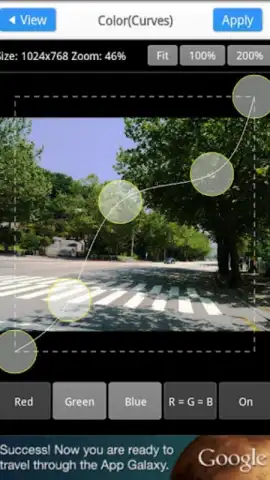
- Professional Adjustment Tools: Manually fine-tune image parameters including brightness, contrast, and apply artistic filter packs.
- Multi-Platform Export: Save edits to device storage or SD card, set as wallpaper, or share directly to Picasa, Facebook, and Twitter.
Download Photo Editor now: Exclusive ad-free Turbo performance is a limited-time offer for new users.
Disclaimer: This application requires an internet connection for certain sharing features and potential in-app purchases. Data charges may apply. The app may collect user data as per its privacy policy. Please check your device’s age restrictions and storage permissions before use.
 GooglePlay


