

Pixlr
Pixlr screenshots (10)




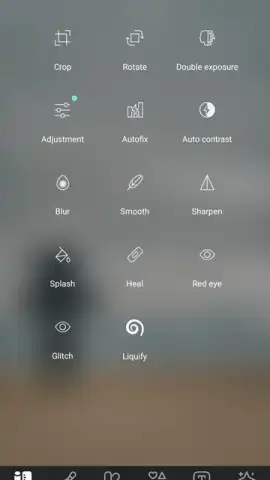

Description Pixlr
A Closer Look at Pixlr: The AI-Powered Editor in Your Pocket
The promise of a professional-grade photo editor on a mobile device often comes with significant compromises—either a steep learning curve, a prohibitive price tag, or a flood of intrusive ads. Pixlr, in its current 3.8.3 iteration, presents a different proposition. It functions as a multi-layered toolkit, starting with a surprisingly robust and free foundation for basic adjustments before revealing a deeper stratum of AI-assisted creativity. This review examines how the app balances accessibility with advanced features, where its artificial intelligence tools genuinely streamline complex edits, and what the practical realities are of its freemium model.
Core Editing and AI Functionality
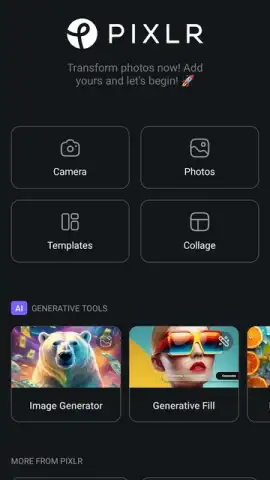
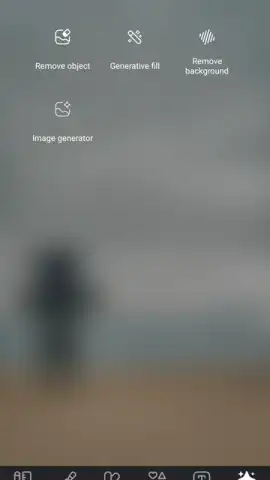
At its heart, Pixlr provides a clean, intuitive interface for fundamental photo correction. Sliders for exposure, contrast, highlights, shadows, and color temperature offer precise control, performing on par with many dedicated desktop applications. Where the app begins to distinguish itself is in its integration of AI. The background removal tool is a standout; it processes images with impressive accuracy for an automated function, handling complex edges like hair or foliage more competently than most mobile competitors. Similarly, the object removal feature allows you to erase unwanted elements from a scene with a few taps, with the AI intelligently filling in the resulting gap based on the surrounding pixels. This moves simple editing into the realm of quick, effective photo retouching.
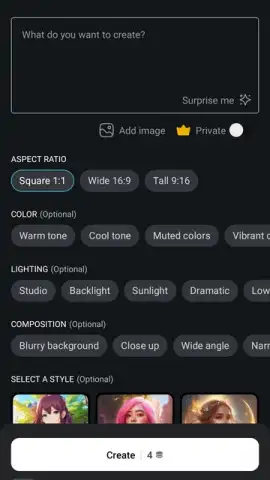
Beyond correction and removal, Pixlr ventures into generation. Its AI image creator is a powerful, if credit-gated, feature. You input a descriptive text prompt, select from various artistic styles—such as photorealistic, watercolor, or cyberpunk—and the engine generates a unique image within seconds. The quality is variable and depends heavily on the specificity of your prompt, but it serves as a potent tool for creating custom graphics, social media content, or conceptual art directly from an idea. It’s important to note that each use of this generator, along with many premium AI filters and effects, consumes from a pool of AI credits, which are limited in the free version.
Subscription Tiers and Practical Value
The free version of Pixlr is notably generous, offering the core editor and a limited number of AI operations without ad interruption—a significant quality-of-life feature. The upgrade paths, Pixlr Plus and Premium, are designed for consistent users. These subscriptions unlock the full library of templates, which number in the thousands and are categorised for social media posts, marketing materials, and personal projects. More critically, they provide a regular allotment of AI credits, remove all usage limits on premium tools, and grant access to advanced assets like exclusive fonts, stickers, and layered PSD file support. For a user who regularly produces content, the value shifts from occasional editing to a streamlined, asset-rich production workflow.
- AI-Powered Precision Editing: Utilise one-tap background removal and intelligent object erasure to clean up and isolate subjects in your photos with minimal manual effort.
- Generative Image Creation: Transform text descriptions into original visual artwork using a dedicated AI engine, with multiple style filters to define the final output.
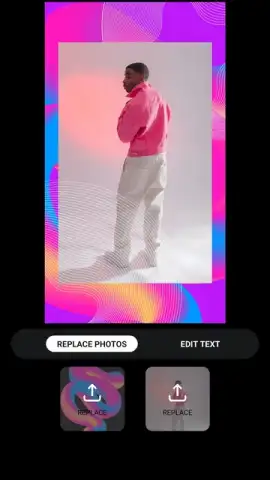
- Extensive Template Library: Access a vast, categorised collection of professionally designed templates for social media, marketing, and personal projects, easily customisable within the app.
We suggest trying Pixlr for its unique combination of a solid free editing suite and its forward-leaning AI tools, which can dramatically speed up both mundane edits and creative conception.
Download the Pixlr mobile app now to transform your device into a comprehensive photo studio.
Heads up: you'll need wifi for most AI-generation features and to sync assets. Some cool stuff, like unlimited AI credits and the full template vault, is extra.
 GooglePlay


