

Power Toggles
Power Toggles screenshots (7)

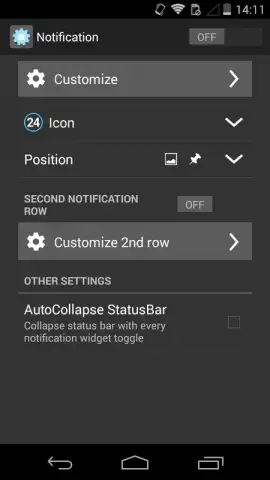
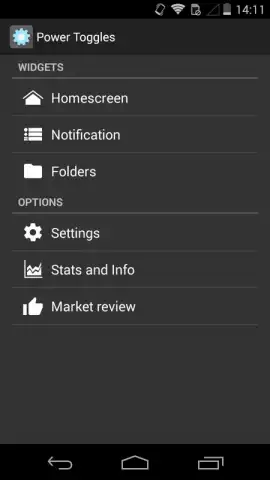
Description Power Toggles
Tired of digging through endless menus just to toggle your Wi-Fi or adjust brightness? What if every essential system setting lived right on your home screen, just one tap away?
Power Toggles transforms your Android device into a powerhouse of effortless control. This advanced utility by Painless Apps grants you instant, widget-based access to both basic and deep-level system settings, eliminating menu navigation entirely. Organize your core tools directly on your desktop, within the notification panel, or in custom folders for a truly personalized command center. The interface is intelligently divided into dedicated widgets for quick actions and a comprehensive settings panel for granular management. With the Turbo enhancement, you experience a completely ad-free environment, unlocking smoother performance and uninterrupted customization.
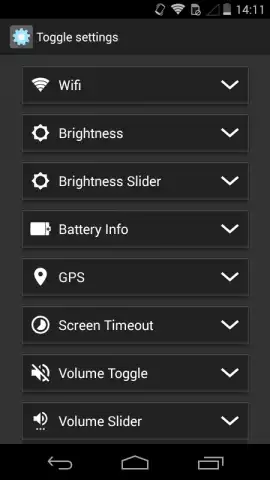
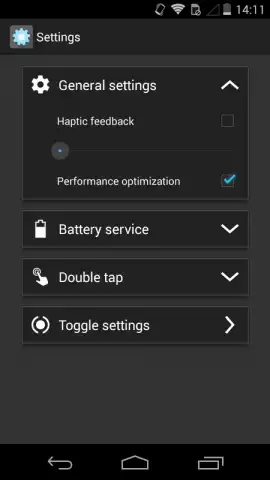
The app’s strength lies in its detailed categorization and profound system integration. The main settings panel is organized into clear sections like Statistics and Connectivity, putting everything from battery usage analytics to advanced network controls at your fingertips.
- Instant Desktop & Notification Widgets: Place fully customizable toggle widgets for any system function directly on your home screen or notification shade.
- Deep System Setting Shortcuts: Access and create shortcuts for system-level options like battery saver modes, GPS profiles, and auto-sync with a single tap.
- Advanced Connectivity Management: Control Wi-Fi, mobile data, Bluetooth, hotspot, and Airplane mode with dedicated widgets and advanced configuration options.
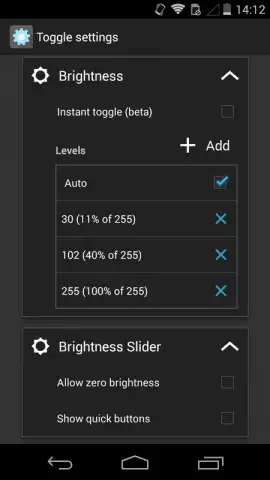
- Customizable Display & Interface Tools: Adjust screen brightness, toggle flashlight, modify font size, and change lock screen settings without opening system menus.
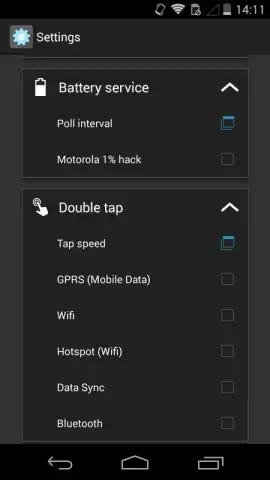
- Enhanced Power & Hardware Controls: Configure double-tap actions, power button behaviors, and battery usage statistics for optimized device management.
Download Power Toggles Now! This is a limited-time opportunity for new users to experience premium, ad-free control with the Turbo feature activated. Transform your device efficiency today—exclusive access won’t last forever!
Disclaimer: This application requires an internet connection for certain features and permissions to access system settings. It may contain in-app purchases for premium functionalities. Use of advanced system controls should be performed with understanding, as improper configuration may affect device performance. Data usage may apply for statistic synchronization. Please review the app’s terms of use for detailed information on data handling. Suitable for users familiar with Android system tools.


