

Samsung AR Zone
Samsung AR Zone screenshots (2)
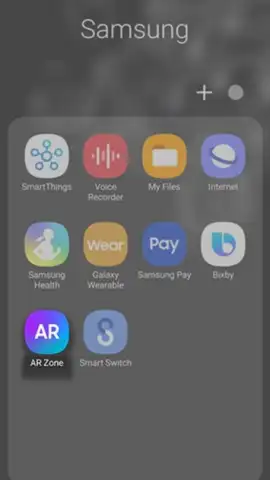
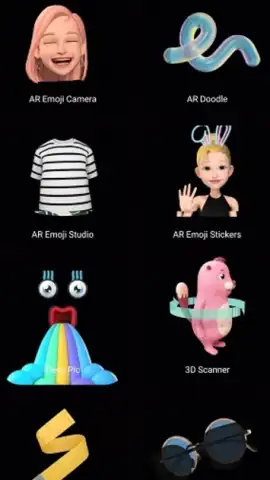
Description Samsung AR Zone
A Closer Look at Samsung's Native Augmented Reality Suite
For users of recent Samsung Galaxy devices, the camera experience extends far beyond the standard photo and video modes. The Samsung AR Zone app serves as the official, pre-installed gateway to the company's suite of augmented reality tools, designed to leverage the specific hardware capabilities found in its flagship and mid-range models. While the full depth-sensing potential of features like AR Doodle is reserved for devices equipped with specialized DepthVision cameras, the application maintains broad compatibility across the Samsung ecosystem, ensuring a core set of creative functions is widely accessible. This review examines the practical mechanics of its three primary modules, assessing how they transform everyday smartphone photography into interactive content creation.
Core Functionality and Feature Analysis
The application operates as a consolidated hub, removing the need to download separate, disparate AR apps. Its value lies in the direct integration with Samsung's camera firmware and sensor data, which allows for more stable and responsive AR tracking compared to many third-party alternatives. The interface is segmented into distinct modes, each dedicated to a specific type of content generation. It's important to note that performance and feature availability are intrinsically tied to your device's model and sensor array; newer phones with Time-of-Flight (ToF) sensors will unlock more precise and advanced interactions, particularly in spatial drawing and emoji mapping.
The toolset is focused on personalization and playful augmentation rather than professional editing. You won't find complex color grading or layer-based compositing here. Instead, the app excels at real-time, in-camera effects that are designed for immediate sharing. The processing happens live, with minimal shutter lag, encouraging spontaneous use. The absence of advertising within the app is a significant point of user experience hygiene, allowing the creative tools to remain the sole focus without disruptive interruptions.
- My Emoji & Sticker Creation: This feature constructs a personalized 3D avatar by analyzing a user's selfie. The system maps facial features to generate a cartoonish emoji with a high degree of likeness, which can then be animated for photos or videos. This avatar is further functional, as it can be exported as a set of custom stickers for use in messaging apps.
- AR Doodle for Spatial Drawing: Using augmented reality tracking, this mode allows you to draw lines, shapes, and text that appear anchored to real-world surfaces. When recording video, you can interact with these drawings as if they exist in the physical space, creating the illusion of painting on walls or leaving floating notes in mid-air.
- Deco Pic for Live Decoration: This is a real-time sticker and filter overlay tool. It provides a library of thematic AR objects, frames, and effects that can be pinned to scenes or faces during capture. The effects track movement reliably, enabling the creation of whimsical photos and short clips adorned with dynamic digital elements.
Get your bonus of creative expression directly from your device's hardware. Start creating personalized AR content today.
Download mobile app now
Disclaimer: This app requires an internet connection for initial setup and potential content updates. It may contain in-app purchases for additional sticker or asset packs. Use of certain advanced features is dependent on specific Samsung smartphone models with requisite camera sensors. User data, including images processed for avatar creation, may be utilized in accordance with Samsung's privacy policy. Please be aware of your surroundings when using AR features.


