

Samsung Find
Samsung Find screenshots (4)
Description Samsung Find
Never Lose Track of What Matters Most
How many times have you wasted precious minutes searching for your phone, your keys, or your tablet? That frantic scramble ends now. Samsung Find transforms your compatible Samsung devices and supported items into a seamlessly connected network, giving you instant peace of mind and one-tap control over your essential gear.
Pinpoint Your Entire Galaxy Ecosystem
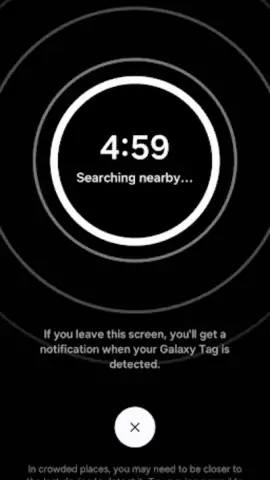
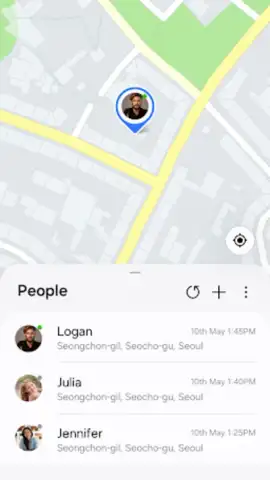
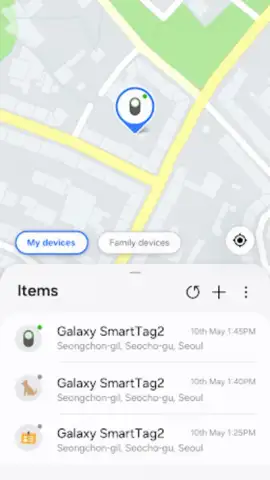
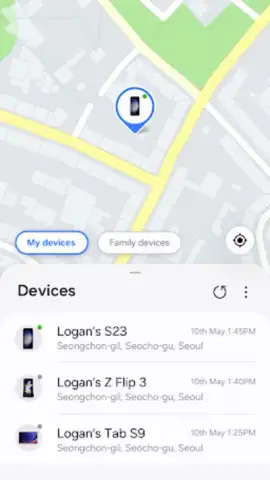
Samsung Find integrates deeply with your Samsung account to provide a unified, map-based view of your registered devices. The main dashboard displays the last known location of your smartphone, tablet, watch, earbuds, and supported SmartThings Find tags. You can trigger a loud ring on a misplaced device—even if it’s on silent mode—to hear it from across the room. For items tagged with SmartThings Find, use the augmented reality ‘Search Nearby’ feature to get precise visual directions when you’re in close proximity. The app also allows you to share your location with trusted contacts for a set duration and see the location of friends who have shared with you, making meet-ups effortless.
Key Advantages of the Integrated Locator
The core strength of Samsung Find is its seamless functionality within the Samsung ecosystem. The interface is clean and instantly intuitive, prioritizing speed and clarity when you need to find something fast. Location updates are efficient and reliable, leveraging both GPS and network-based positioning for accuracy. For supported devices, the offline finding feature uses other nearby Samsung devices to help locate your lost item even when it’s not connected to the internet, massively expanding your search network.
- Ring Your Silent Device Instantly
- Offline Finding via Galaxy Network
- AR Visual Search for Nearby Items
- Share Location with Friends & Family
We suggest trying Samsung Find to experience the convenience of a truly connected and secure digital life. Consider downloading it today to end the search for your essentials.
Download mobile app now
This app requires an internet connection for full functionality. Some features, including offline finding and location sharing, require compatible Samsung devices, accessories, and a Samsung account. Service availability may vary by region and device model.
 GooglePlay


