

Samsung Weather
Samsung Weather screenshots (5)
Description Samsung Weather
A Closer Look at Samsung's Native Weather Solution
For users of Samsung smartphones, checking the forecast is often an integrated experience, bypassing the need to search for third-party apps. The Samsung Weather application serves as the default meteorological tool pre-installed on these devices, designed to provide a streamlined and location-aware service. This review examines its operational mechanics, core functionalities, and how it leverages device integration to deliver weather data directly to the user's home screen and notification panel.
Core Functionality and Interface Integration
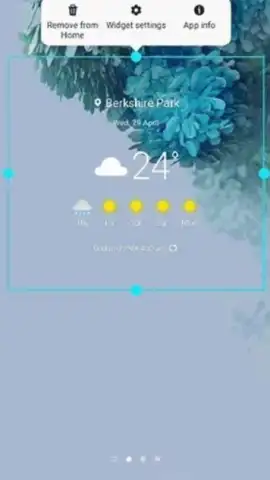
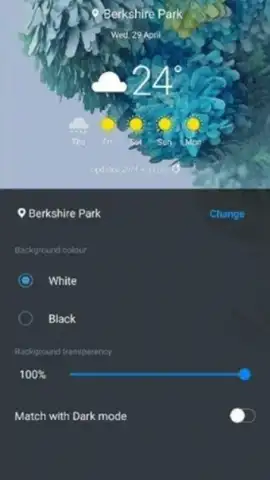
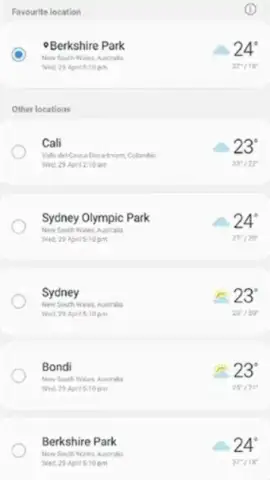
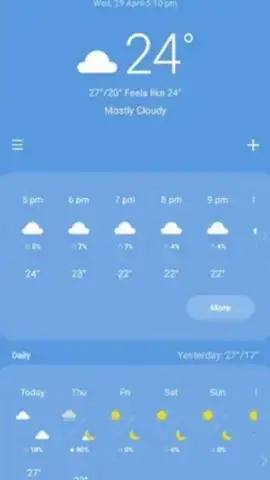
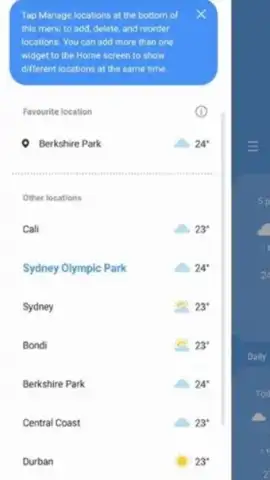
The application's primary function is to deliver hyperlocal and extended weather forecasts. It automatically sources data for the user's current geographical position using the device's location services, eliminating the need for manual city input during daily use or travel. The interface presents a detailed breakdown, typically offering an hourly forecast for the immediate future alongside a comprehensive seven-day outlook. A significant integration point is the widget system; users can place resizable widgets on their home screen that display key weather metrics at a glance, such as current temperature, condition icons, and high/low predictions, without launching the app itself. The application also supports manual addition of multiple global locations, allowing users to monitor conditions in other cities for planning or personal interest.
The software is distributed without third-party advertising banners or video ads, contributing to an uninterrupted user experience. Its performance and data refresh rates are optimized for Samsung's hardware and software ecosystem.
-
- Automatic Location-Based Forecasts: Continuously updates weather data based on your smartphone's GPS coordinates.
- Detailed Hourly and 7-Day Predictions: Provides a granular timeline view and a broader weekly outlook for planning.
- Customizable Home Screen Widgets: Offers at-a-glance weather information directly on your device's main display.
- Multi-City Tracking for Global Weather: Enables monitoring of conditions in an unlimited number of saved locations worldwide.
- Ad-Free Experience with System Optimization: Runs without commercial interruptions and is finely tuned for Samsung devices.
We suggest trying Samsung Weather to experience a deeply integrated, clutter-free meteorological tool designed specifically for your Galaxy device.
Download the Samsung Weather mobile app now via the Galaxy Store or your device's pre-installed application manager.
Disclaimer: This application requires an active internet connection (Wi-Fi or mobile data) for real-time data fetching and location services. It may request permissions for location access, notifications, and storage for widget functionality. The app is typically pre-installed and updated through system services; check your device's settings for specific version details. Data usage depends on update frequency and background refresh settings.


