
Seconds Clock Widget
Seconds Clock Widget screenshots (4)
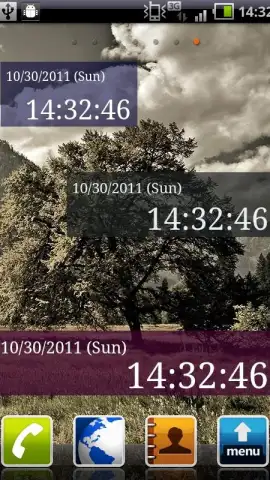
Description Seconds Clock Widget
Track Time with Precision on Your Home Screen
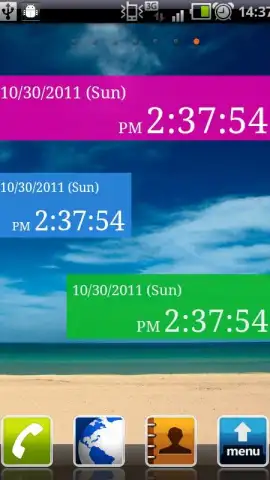
Standard clock widgets often lack the granular detail needed for precise time management. Seconds Clock Widget delivers a continuously updating digital display that shows the exact second, providing a higher level of temporal awareness directly on your Android home screen. This tool is designed for users who require meticulous time tracking without interrupting their workflow.
Core Functionality and Customization
The application operates as a fully configurable widget, pulling live time data from your device's system. It offers a suite of visual editing tools to modify the widget's appearance, ensuring it complements any screen layout or aesthetic. The interface is built for direct manipulation of settings, allowing for real-time previews of changes before applying them.
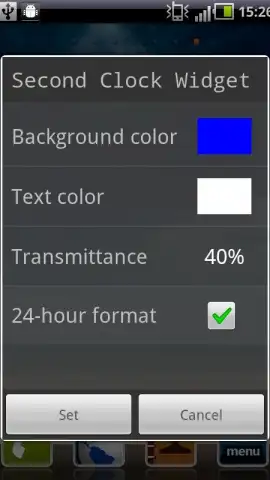
- Adjustable Visual Properties: Set the exact hexadecimal color code for both the widget's background and its digital text, and control opacity with a granular transparency slider.
- Performance-Optimized Design: The widget uses minimal system resources, ensuring smooth updates without affecting device battery life or overall performance.
- Turbo-Enhanced Experience: An optional upgrade removes all advertising elements and can unlock potential advanced formatting options for a completely clean interface.
Detailed Feature Overview
The widget provides more than a simple clock; it is a customizable instrument panel for your home screen.
- Live Second-by-Second Display: Presents a real-time digital clock that updates every second, offering precision beyond standard minute-based widgets.
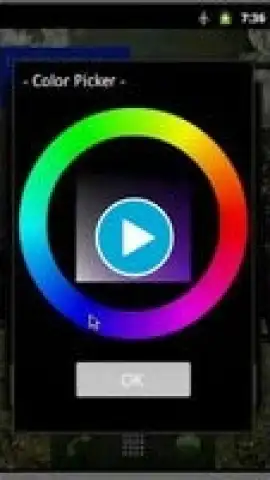
- Comprehensive Style Editor: Access dedicated menus for color picking, font weight adjustment, and background transparency to create a truly personalized widget.
- Seamless Android Integration: Functions as a native widget component, ensuring stable performance and reliable time synchronization across different device models and home screen launchers.
Claim your advantage now and transform your home screen into a precision timekeeping hub. Download the mobile app now.
Internet required. IAP available.


