
Smart Emoji Keyboard
Smart Emoji Keyboard screenshots (7)
Description Smart Emoji Keyboard
Tired of a Basic, Clunky Keyboard? Upgrade Your Typing
Does your standard keyboard feel limited, boring, or just plain slow? Unlock a faster, more expressive, and personalized typing experience on your Android device with Smart Emoji Keyboard. This powerful tool goes far beyond simple text entry, transforming your everyday communication with advanced features, deep customization, and instant access to a vast library of emojis. It integrates seamlessly to replace your default keyboard, offering the robust functionality you expect, plus so much more to enhance every message, search, and note.
A Deep Dive into Functionality and Customization
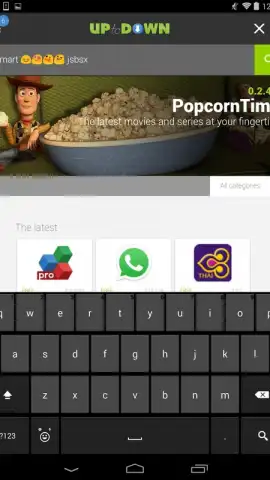
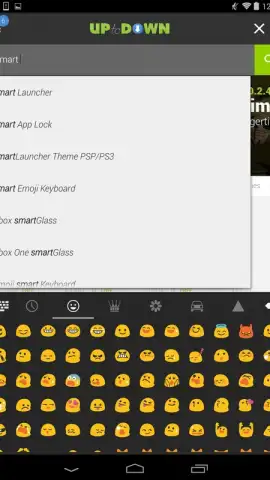
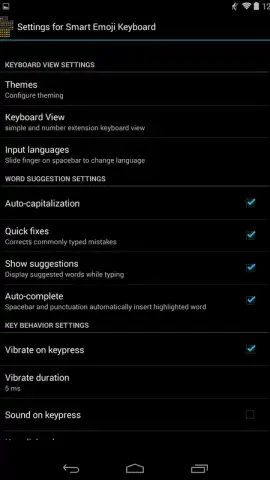
Smart Emoji Keyboard is engineered for efficiency and personal expression. At its core, it provides the reliable typing experience of a standard keyboard, including seamless integration for inserting popular Hangouts emojis directly into any chat or text field. The true power lies in the detailed settings menu, where you gain full command over your typing environment. You can precisely enable or disable specific AI-powered tools like next-word prediction (autocomplete), contextual spelling suggestions, and automatic error correction to match your preferred flow.
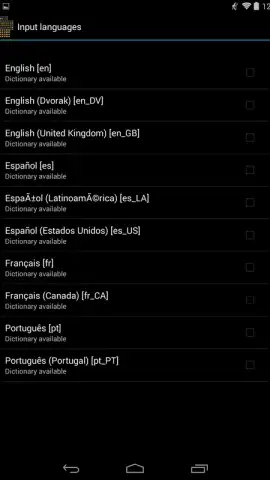
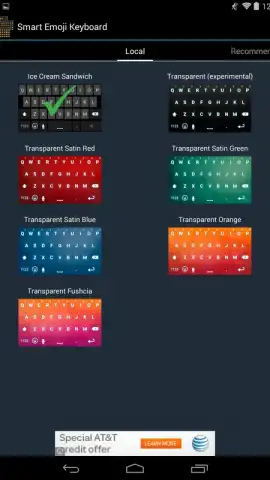
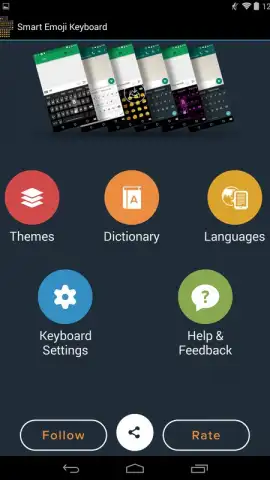
Personalization is a major focus. The app provides a dedicated theme engine that allows you to change the entire color scheme and visual interface of the keyboard, moving beyond a one-size-fits-all look. For polyglots and multilingual users, the application supports comprehensive language expansion. Through the main menu, you can download and install full system dictionaries for major languages including English, Spanish, French, and Chinese. Once installed, you can switch keyboard layouts and prediction engines instantly, making typing in multiple languages perfectly smooth. The optional Turbo mode is a game-changer, designed to remove all advertising interruptions and unlock premium performance enhancements for a completely clean, focused, and accelerated typing session.
- Fully Customizable Color Themes
- Multilingual Dictionary Support
- Turbo Mode for No Ads
- Smart Prediction & Correction
- Direct Hangouts Emoji Access
- Seamless Android Integration
Stop settling for a bland typing tool. Transform your Android device into a powerhouse of productivity and style. Download Smart Emoji Keyboard now and claim your typing advantage today!
Requires a stable internet connection for initial setup, dictionary downloads, and optional feature activation. The app may offer in-app purchases for premium functionalities, including Turbo mode.


