

SwiftTask
SwiftTask screenshots (5)

Description SwiftTask
Is your daily workflow a constant battle against forgotten details and scattered priorities? SwiftTask, developed by Sebastian Schäf, presents itself as a streamlined business tool designed to transform that chaos into a structured, actionable system. This review examines its core mechanics to determine if its approach to task management delivers genuine utility or simply adds another layer of digital clutter.
Core Functionality and Feature Analysis
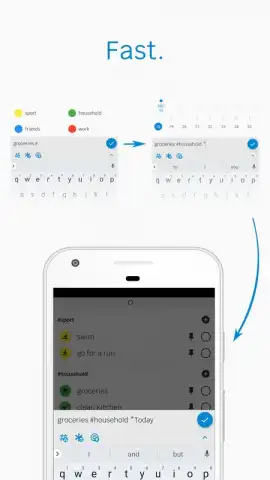
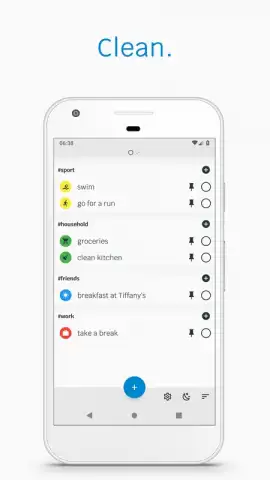
SwiftTask operates on the principle of enhanced list-making, moving beyond basic text entries. The application allows for the assignment of custom labels to tasks, enabling a project-based or context-based categorization system that goes beyond a single monolithic list. Furthermore, it permits the use of emoticons as visual identifiers, creating an immediate, at-a-glance recognition system for different task groups which can speed up mental processing during review sessions.
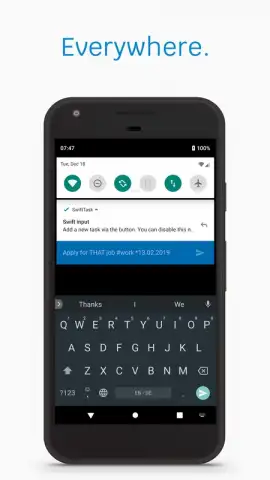
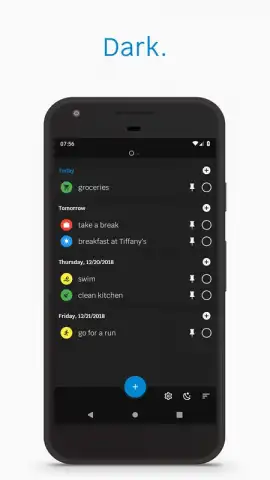
A key organizational feature is the use of specific syntax for adding metadata. By prefixing a date with an asterisk (*), you can schedule a task, while using the "at" symbol (@) lets you assign a location or a broader context. This method turns a simple list into a filterable database, where searching for all tasks tagged for a specific meeting or due on a particular day becomes a straightforward operation. The interface includes a dedicated night mode, shifting the color palette to reduce eye strain and minimize sleep disruption during late-night or early-morning planning sessions.
Detailed Feature Breakdown
- Label and Emoticon Tagging: Categorize tasks with custom labels and quick-visual emoticons for instant group recognition and sorting.
- Smart Syntax for Dates & Context: Use * for deadlines and @ for locations to embed searchable metadata directly into task lines.
- Focused, Ad-Free Experience: The Turbo version eliminates all advertisements, offering an uninterrupted and streamlined task management workflow.
The application positions itself as a practical tool for those who think in lists but need more structure than a notepad offers. Its power lies in the lightweight, text-command-like approach to organizing information, which avoids the complexity of heavier project management software. For managing daily deliverables, meeting notes, and personal errands in a unified space, SwiftTask provides a notably clean and efficient environment.
Start organizing with precision and claim your cognitive advantage today. Download SwiftTask now to structure your workflow.
An internet connection may be required for certain functions. The application may offer in-app purchases.
 GooglePlay


