

TBOOST Game Booster & GFX Tool
TBOOST Game Booster & GFX Tool screenshots (4)
Description TBOOST Game Booster & GFX Tool
A Direct Solution for Mobile Gaming Performance Bottlenecks
Mobile gaming performance is often constrained by background processes, thermal throttling, and non-optimized graphics settings that are locked by default. The TBOOST Game Booster & GFX Tool operates as a system-level utility designed to intervene in these specific areas. It functions by reallocating device resources, managing thermal output through software controls, and providing deep access to graphical parameters typically hidden within game files. The objective is to shift device performance toward sustained frame rates and reduced input latency during active gameplay sessions.
Core Functionality and Feature Set
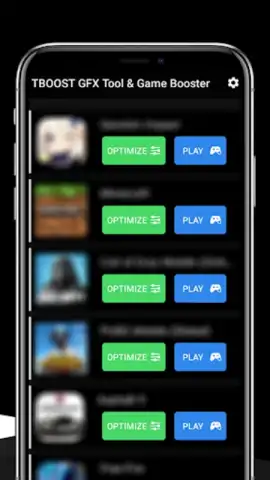
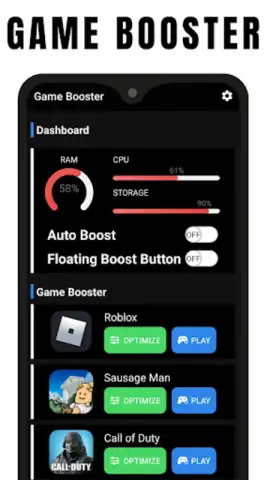
The application's primary interface is divided into two interconnected modules: the Game Booster and the GFX Tool. The Game Booster module executes a predefined script that aggressively suspends non-essential background services and processes upon launching a selected game, freeing up RAM and CPU cycles. It includes a real-time monitor displaying metrics for CPU/GPU load, frame rate, and device temperature. The GFX Tool module requires a supported game to be selected from its database. Once a game is targeted, the tool unlocks advanced configuration files, allowing for manual adjustment of rendering resolution, shadow quality, anti-aliasing, texture filtering, and particle effects. This granular control enables users to downgrade visual fidelity for performance gains or enhance it on capable hardware, bypassing the game's standard quality presets.
Operational Advantages and Practical Implementation
The utility's main strength is its provision of detailed, low-level control over two critical performance factors: system resource allocation and graphical rendering. Unlike generic "cleaner" apps, its processes are specifically tailored for the demands of real-time 3D rendering. The user experience is utilitarian, presenting sliders, toggle switches, and numerical value inputs for each adjustable parameter. For each supported game, the tool often provides several community-tested preset profiles—such as "Competitive FPS" or "HD Visuals"—that can be applied with one tap, offering a balance between convenience and customizability. The effectiveness of these adjustments is directly observable through the in-app performance overlay during gameplay.
- Aggressive background process management
- Unlocks hidden game graphics settings
- Real-time performance monitoring overlay
- Community-driven optimization profiles
Get your bonus in performance and control by configuring your device for peak gaming efficiency.
Start winning today by downloading the TBOOST Game Booster & GFX Tool now.
Disclaimer: This tool requires an internet connection to download game profiles and updates. It functions as a utility and does not contain in-app purchases. Use of this app to modify game files should comply with the game's terms of service. Some features require granting extensive system permissions. Data usage pertains to app functionality and profile downloads. This application is not intended for users under legal age due to its system-level access. Results may vary based on device hardware, software version, and specific game engine.


