

TextWarrior
TextWarrior screenshots (4)
Description TextWarrior
Struggling with Text Editing on Android Touchscreens?
Accurate text manipulation on Android devices, particularly on touchscreens, presents a consistent challenge. Common issues include imprecise cursor placement, accidental virtual keyboard activation during scrolling, and cumbersome text selection. TextWarrior is engineered to address these specific interaction problems by providing a command-oriented and highly customizable editing environment. It transforms the standard touchscreen text input experience into a controlled and efficient workflow, minimizing frustrating interactions and simplifying complex editing tasks.
Advanced Functionality for Precision Editing
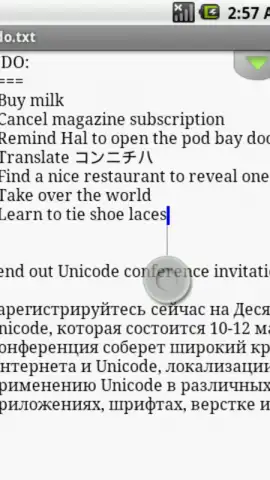
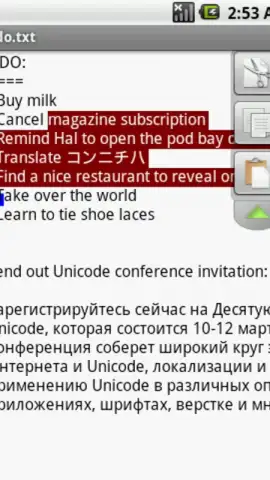
TextWarrior provides five distinct cursor navigation methods, a critical feature for devices lacking a physical keyboard or stylus. This system allows users to switch between touch-based, gesture-controlled, and button-driven navigation to suit different editing scenarios and personal preference, directly simplifying text selection and drag-and-drop actions. The application includes syntax highlighting for programming languages such as Java and Python, facilitating code review and development directly on a mobile device. A movable clipboard panel offers quick access to multiple copied snippets, enhancing productivity beyond the capabilities of standard system clipboards.
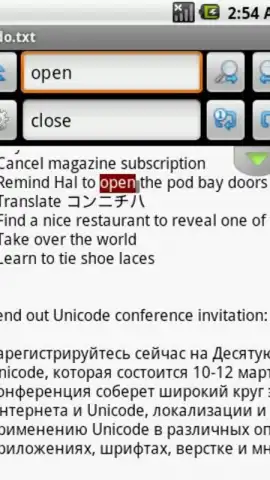
Core editing tools are comprehensive, featuring in-place search and replace functions, automatic indentation for structured text and code, and fully customizable interface elements including toolbar placement and theme options. For document handling, the app supports word wrap, visible whitespace characters, and user-definable tab width. It maintains an extensive undo and redo history, supports multiple text encodings like UTF-8 and UTF-16, and is compatible with various line-ending styles (LF, CRLF, CR). This ensures reliable file interoperability across different operating systems.
An Open-Source, Ad-Free Environment
Developed as an open-source project by MyopicMobile, TextWarrior prioritizes user privacy and a distraction-free experience by eliminating all advertising networks and related internet permissions. Its community-driven development model encourages continuous, user-focused improvement. The application is designed for universal compatibility, functioning seamlessly with all device input methods, including touch, hardware keyboards, and external controllers, ensuring consistent usability across diverse interaction modes.
- Five cursor navigation methods
- Syntax highlighting for coding
- Movable clipboard panel
We suggest trying TextWarrior for anyone requiring professional-grade text and code editing on Android without the distractions of advertisements. Consider downloading it to experience a streamlined and powerful touchscreen-optimized workflow.
The application may require an internet connection for initial download from the app store. The app itself contains no advertisements or in-app purchases. Features and compatibility are subject to change with updates.


