

Typewise Keyboard
Typewise Keyboard screenshots (7)

Description Typewise Keyboard
A Keyboard Reimagined for Touch
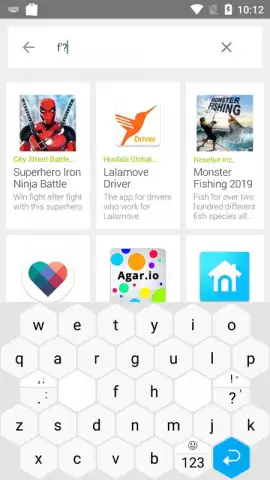
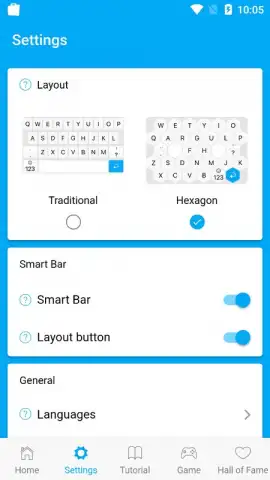
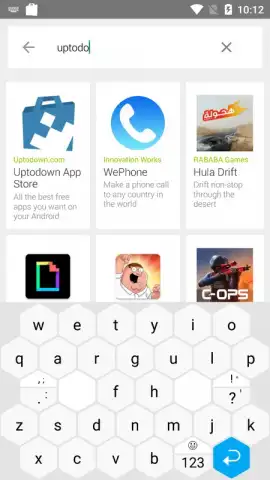
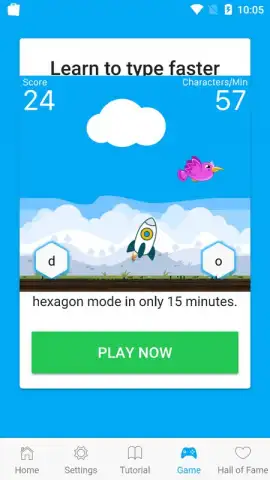
The standard rectangular keyboard layout was designed for physical keys, a legacy that creates inefficiency on modern touchscreens where accuracy depends on fingertip size and motion. Typewise Keyboard by icoaching gmbh confronts this fundamental design flaw directly. It presents itself not as another theme or predictive text upgrade, but as a ground-up architectural rethink for Android personalization. The core proposition is a hexagonal key layout, which the developer states increases individual key surface area by approximately 70%. This shift from a grid of squares to a honeycomb pattern is the first clue that this application is engineered for the ergonomics of touch, not the limitations of historical hardware.
Functional Design and Adaptive Intelligence
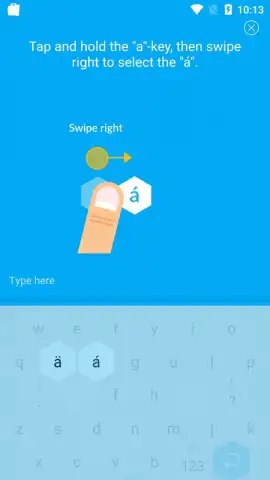
Initial setup follows the standard Android procedure for enabling a third-party keyboard, after which the app offers a concise, interactive tutorial. Mastery of its unique input mechanics is achieved within minutes. The learning curve is minimal because gestures are intuitive: for capitalisation, a short upward swipe from the key; for accented characters, a lateral swipe from a vowel. Beyond its novel geometry, Typewise incorporates a self-learning autocorrection and prediction engine. This system analyses personal typing patterns, vocabulary, and style, progressively refining its accuracy. After a period of regular use, it operates as a personalised filter, catching and correcting subtle typos with minimal user intervention. The application supports a robust selection of 40 languages, accommodating multilingual communication without switching keyboard assets.
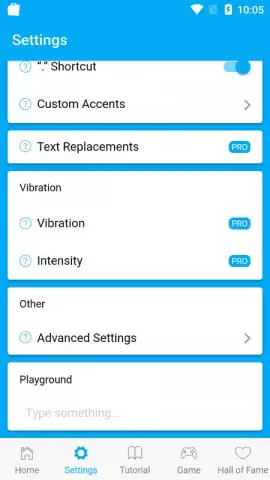
The base version of Typewise Keyboard is fully functional and free, operating without advertising. For users seeking deeper control, a PRO upgrade unlocks advanced customization. This includes granular theme editing, enhanced predictive text options, and additional utility features that tailor the typing experience far beyond aesthetics.
Core Feature Analysis
- Hexagonal Key Layout: Engineered for touchscreens, this design purportedly expands tap targets by 70% compared to traditional rectangular keys to reduce typos.
- Gesture-Based Input: Implements intuitive swipes for actions like capitalization and accenting, streamlining character input without modifier keys.
- Adaptive Autocorrection: Features a learning algorithm that studies individual typing habits to provide personalized, context-aware text predictions and corrections.
We suggest trying Typewise Keyboard to experience a structurally different approach to mobile typing that prioritizes touchscreen ergonomics and adaptive intelligence.
Consider downloading the Typewise Keyboard mobile app now.
Disclaimer: This application requires an internet connection for initial language pack downloads and certain advanced features. The free version may have limited access to premium customization options; in-app purchases are available to unlock the PRO version. Use of the keyboard involves granting input permissions, and it may collect anonymized typing data to improve its prediction algorithms. Please review the app's privacy policy and terms of service for details on data usage. Ensure the app is suitable for your age and device specifications before installation.
 GooglePlay


