

WiFi Password Key
WiFi Password Key screenshots (7)
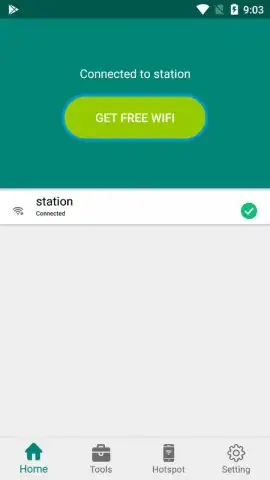

Description WiFi Password Key
A Practical Tool for Managing Network Credentials
For professionals and home users alike, managing WiFi passwords is a recurring, minor yet critical administrative task. This application provides a centralized, secure vault for storing, retrieving, and sharing your wireless network keys, transforming a scattered list of codes into an organized digital asset. It addresses the frustration of forgotten passwords and insecure sharing methods, offering a streamlined utility for business environments and personal use.
Core Functionality and Feature Set
The app operates as a dedicated password manager specifically for WiFi networks. Upon launch, it allows you to manually input and save SSID names alongside their corresponding passwords into an encrypted local database. The primary interface is a clean list of your saved networks, where tapping any entry reveals the password with options to copy it to the clipboard instantly. A key feature is the ability to generate QR codes for any saved network; scanning this code with another device enables a one-tap connection without manually entering the password, facilitating secure and efficient guest access. The tool also includes basic categorization options to separate home, office, or public network credentials.
Key Operational Advantages
The utility's strength lies in its focused simplicity and offline security. Unlike cloud-based managers, it stores all data locally on your device, giving you complete control and eliminating dependency on an internet connection for access. The QR code generator is a standout productivity tool, effectively turning complex passwords into scannable visual keys. The user interface is purpose-built for speed, prioritizing quick search, copy, and share actions over superfluous features, which results in a lightweight application that performs its singular function with high reliability.
- Local Encrypted Storage: All WiFi passwords are secured in a local vault on your device, ensuring privacy and offline access without cloud sync.
- QR Code Connection Sharing: Generate a scannable QR code for any network to allow secure, password-free guest onboarding.
- Rapid Clipboard Integration: Instantly copy any saved password to your clipboard with a single tap for fast manual input on other devices.
Consider downloading WiFi Password Key to consolidate your network access details into a single, secure, and highly functional utility.
Disclaimer: This application functions as a local storage utility and requires no internet connection for its core features. It may request permissions to generate QR codes. It does not hack or retrieve passwords from routers or other devices. Users are responsible for complying with all applicable laws and regulations regarding network access and data security. The developer is not liable for any misuse of stored information.




