
ADB TV
ADB TV screenshots (4)
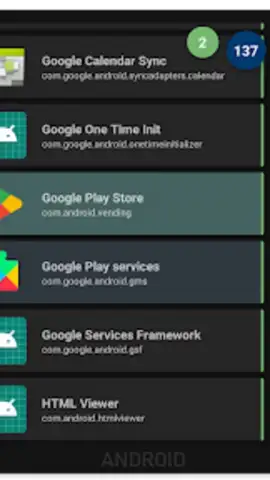
Description ADB TV
Tired of Juggling Media Players and File Managers for Your Android TV?
Managing apps and media on an Android TV device often feels like a disjointed process, requiring separate tools for installation, cleanup, and playback control. ADB TV consolidates this workflow into a single, powerful desktop application, providing direct, streamlined control over your television or set-top box from your computer. It transforms complex ADB commands into an intuitive visual interface, making advanced device management accessible for both casual users and power users seeking deeper control without the terminal.
Features / Core Functionality
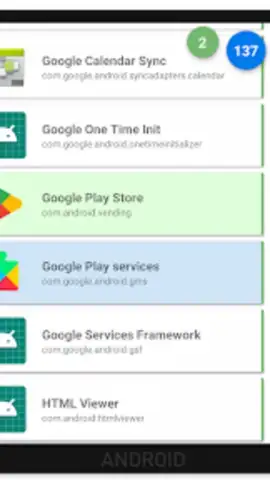
ADB TV operates as a comprehensive bridge between your Windows PC and your Android TV device. After a straightforward connection via network ADB, the app presents a clean, detailed dashboard of your device. The core mechanic revolves around direct app management; you can view all installed applications in a sortable list, with detailed information on version, package name, and install date. The one-click install and uninstall functions are immediate and reliable, bypassing the need for sideloading via USB drives or clunky app stores on the TV itself. Beyond basic management, it offers real-time system monitoring, displaying CPU, memory, and storage usage, which is invaluable for diagnosing performance issues. For media enthusiasts, the app includes a file manager module to push, pull, or delete files directly on the TV's storage, and can function as a remote input device, sending key events for navigation.
Key Advantages
The primary strength of ADB TV is its singular focus on creating a unified management hub. It eliminates context-switching between different utilities, saving significant time and frustration. The user experience is built on clarity and responsiveness; the interface is logically organized, avoiding technical jargon where possible, and operations execute with noticeable speed. For power users, the depth of control—such as the ability to force-stop apps, clear app data and cache in bulk, or take screenshots—is robust without sacrificing stability. Its visual design is utilitarian and clean, prioritizing readability and efficient information layout over flashy graphics, which aligns perfectly with its purpose as a tool.
- Centralized App Management: Install, uninstall, disable, or export APK files for any application directly.
- Real-Time System Monitor: Keep tabs on device health with live CPU, RAM, and storage usage statistics.
- Integrated File Explorer: Manage media and documents by transferring files between your PC and TV seamlessly.
- Batch Operations & Cleanup: Select multiple apps to clear cache or data simultaneously for efficient maintenance.
- Remote Control & Input: Navigate your TV interface using your PC keyboard or emulate remote button presses.
Download ADB TV now and experience the definitive control panel for your Android TV. This streamlined tool is offered with exclusive early access benefits for the first users.
Disclaimer: ADB TV requires a network connection and ADB debugging to be enabled on your Android TV device (Android 8.0+). The developer is not responsible for any unintended changes made to your device. Use of this tool implies understanding of basic Android system operations. This is a desktop application for Windows PCs designed to manage other devices.
 GooglePlay


