

Magnesium Launcher
Magnesium Launcher screenshots (8)

Description Magnesium Launcher
Imagine a home screen that responds not just to taps, but to thoughts. You need an app, a message, a specific note, and it appears before you finish typing its name. Magnesium Launcher transforms your device into this responsive environment by building a comprehensive, on-device index of your digital elements, placing instant retrieval at the core of the user experience.
Core Functionality and Customization
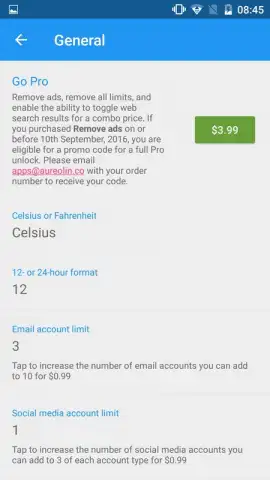
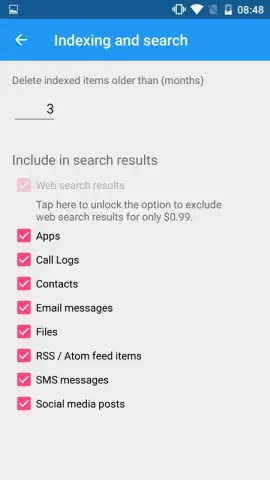
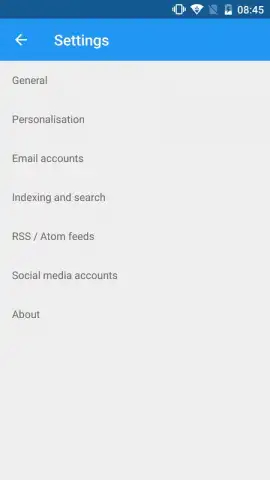
Magnesium Launcher operates by creating a private, local index of the content you specify. This process is not a superficial scan; it delves into the metadata and content of your chosen data types to enable precise, instantaneous searching directly from the home screen. The configuration is granular: within the application settings, you define the exact scope of the index. You can choose to include applications, individual email messages, and SMS conversations, while excluding contact details and web search functionality. It is important to note that disabling internet-based search queries is a feature reserved for the unlocked PRO version of the launcher, allowing for a completely self-contained search experience.
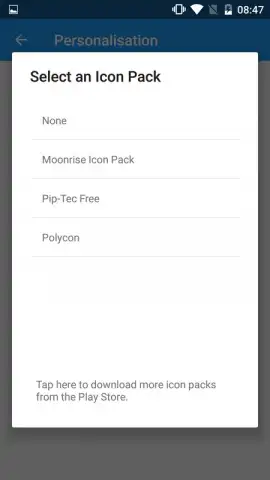
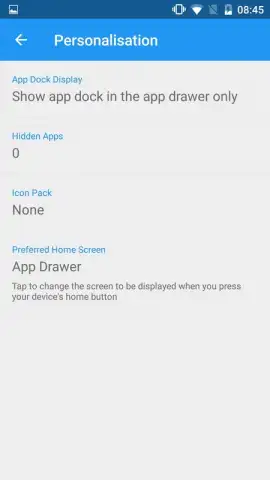
Beyond search, the launcher provides extensive visual customization through its support for over one hundred independent icon packs. These icon sets are not bundled with the base application, maintaining a lean installation, but are freely available for download from official repositories like Google Play and Uptodown. Applying a new icon pack systematically replaces system and application icons across your home screen and app drawer, enabling a complete visual overhaul without requiring root access or complex theming tools.
User Interface and Operational Efficiency
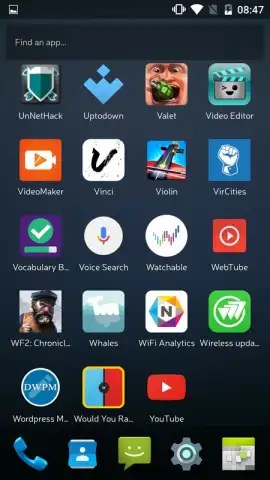
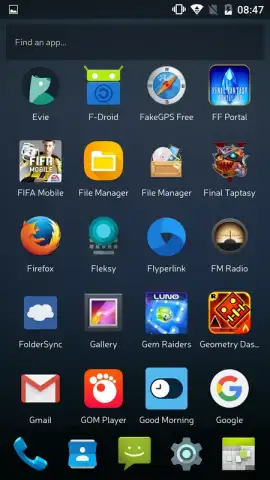
The default layout presents a clean grid of all installed applications on the primary home screen. Management of this space is straightforward: applications can be hidden from view entirely or organized into custom folders with user-defined labels. The interface maintains a consistent and visually coherent aesthetic regardless of the modifications performed, ensuring the home screen remains structured. The absence of banner or interstitial advertisements in the standard version contributes to an uninterrupted workflow. This ad-free experience, combined with the efficient indexing engine, facilitates a streamlined and responsive interaction model with your device's core functions.
- Precise Local Search Index
- Extensive Icon Pack Support
- Ad-Free, Streamlined Interface
We suggest trying Magnesium Launcher to experience a fundamentally more efficient method of accessing your phone's content. Consider downloading it to replace passive navigation with active retrieval.
Disclaimer: This application requires an internet connection for the initial download of optional icon packs from third-party stores. The PRO version is unlocked via an in-app purchase. Some indexing features may access device data such as messages and app metadata to function. Data usage will apply when downloading external assets. Please check the product listing for any age restrictions.


