

Music Folder Player Free
Music Folder Player Free screenshots (6)
Description Music Folder Player Free
Looking for a straightforward way to organize your device's scattered audio files?
Music Folder Player Free by ZorillaSoft addresses a common frustration for Android users: the disarray of music and audio files scattered across internal storage and SD cards. This utility app provides a file-system-centric approach to media management, shifting the focus from complex library scans to direct folder-based organization. Its core proposition is simplicity—by structuring your files into clearly named folders, you gain immediate and logical control over your entire audio collection. The integrated player eliminates the need to switch between a file manager and a separate music app, creating a self-contained ecosystem for both organization and playback. This review examines the mechanics of version 3.1.39, assessing its functionality as a practical tool for users who prefer manual, granular control over their digital audio archives.
A Detailed Analysis of Features and Interface
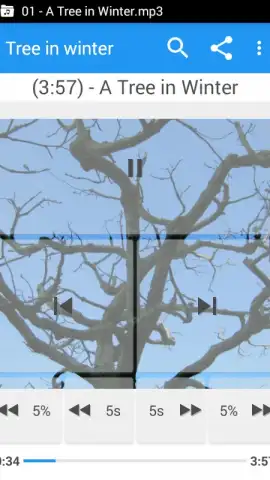
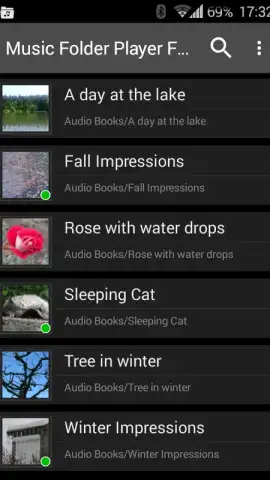
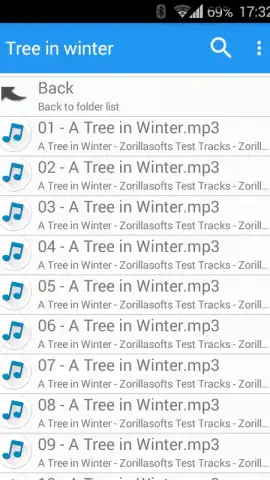
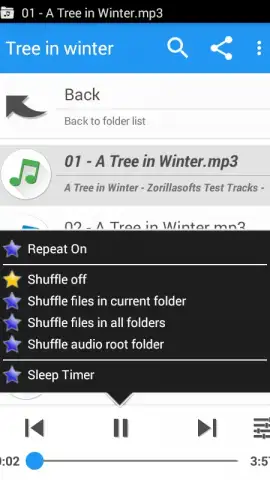
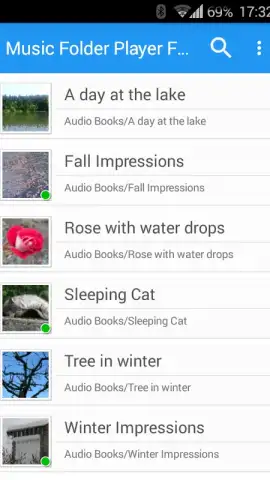
The application operates on a transparent principle: it mirrors your device's existing folder structure. There is no proprietary database or forced importing; the app simply reads and catalogs the audio files you have already stored. This method offers significant advantages for users with meticulously organized directories or large collections of non-standard audio formats. The interface is utilitarian, presenting a clean list of folders and subfolders, which makes navigation intuitive for anyone familiar with basic file management. A built-in search function performs rapid filtering, locating files by name within seconds, which is essential for large libraries. The integrated music player supports background playback and handles a wide array of audio formats, functioning as a competent standalone player once your files are ordered.
The absence of intrusive advertising in its core operations is a noted benefit, contributing to an uninterrupted user experience. The app excels in its designated role—it does not attempt to be a streaming service or a smart playlist generator. Instead, it serves as a powerful organizational layer and a direct playback tool for locally stored files. For users transitioning from a desktop-style file management mindset or those dealing with voice memos, audiobooks, and sample packs alongside music, this focused approach is particularly effective.
Core Functionalities at a Glance
- Enables direct management and playback of audio files through your device's native folder hierarchy.
- Supports an extensive range of audio file formats and extensions without requiring conversion.
- Features a fast, integrated search tool to locate specific files or folders within seconds.
- Includes a fully functional in-app music player for immediate playback without switching applications.
- Provides a clean, ad-minimized interface focused on straightforward file navigation and organization.
We suggest trying Music Folder Player Free if your primary need is to impose order on a chaotic local audio library using a method you directly control. Consider downloading it to transform your device's storage into a well-ordered, easily navigable media archive.
Download the Music Folder Player Free mobile app now.
Disclaimer: This application requires access to device storage to read and play audio files. Functionality may vary based on device manufacturer and Android version. An internet connection is not required for core file management and playback but may be used for optional services. Be mindful of your device's available storage space when managing large collections. Always ensure you have the rights to play the audio files you organize.
 GooglePlay


