
Office Remote
Office Remote screenshots (4)
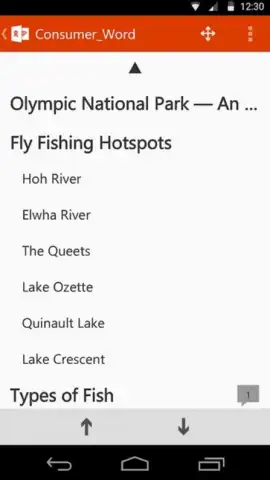
Description Office Remote
Control Your Presentations from Anywhere
Tired of being tethered to your laptop during important meetings or lectures? Office Remote transforms your Android device into a professional wireless controller for Microsoft PowerPoint, Word, and Excel on your PC, freeing you to present and navigate with confidence.
Core Functionality and Tools
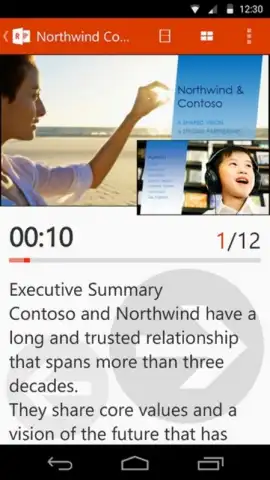
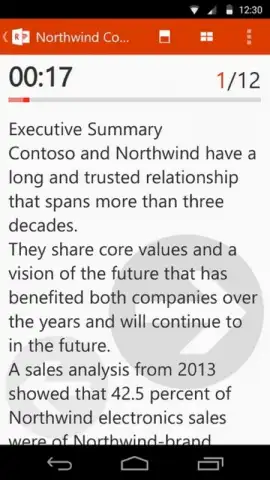
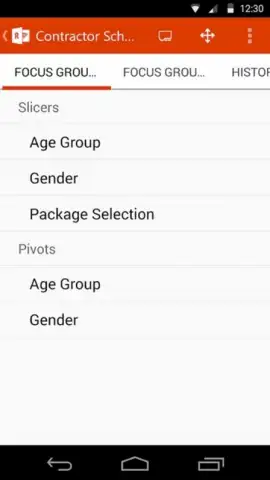
This app establishes a secure Bluetooth connection between your mobile device and a PC running Microsoft Office. It provides precise remote control over presentation flow, document navigation, and spreadsheet data. You can advance slides, view speaker notes privately on your phone, and highlight key points directly from across the room. For document editing, it allows for seamless scrolling and quick access to formatting tools without touching the computer.
Key Operational Advantages
The interface is optimized for reliability and minimal distraction during live sessions. Connection is stable and low-latency, ensuring your commands are executed instantly. The layout presents clear, large buttons for essential functions like slide navigation and pointer activation, reducing the risk of misclicks. It integrates directly with the Office ribbon, giving you remote access to a contextual set of tools depending on whether you are in PowerPoint, Word, or Excel.
- Wireless PowerPoint slide control
- Private speaker notes view
- Remote pointer and highlighting
- Document and spreadsheet navigation
- Direct Office ribbon access
- Secure Bluetooth connectivity
Download the Mobile App Now
Stop fumbling with keyboards and cords. Gain exclusive, early access to professional-grade presentation freedom. Install Office Remote today and command the room from your phone.
Heads up: you'll need wifi or Bluetooth enabled for connectivity. Some advanced features require a Microsoft 365 subscription. Compatible with PC versions of Microsoft Office.


