

Root File Manager
Root File Manager screenshots (5)
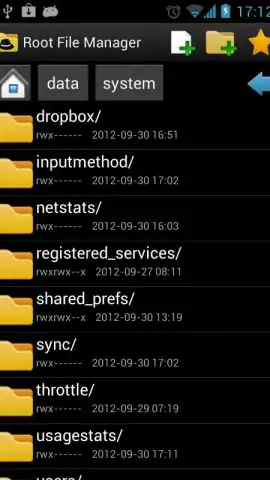
Description Root File Manager
Struggling with Limited File Access on Your Android Device?
Standard file managers often restrict your control, hiding system directories and complicating basic tasks like moving or examining files. Root File Manager by MobilDev provides a comprehensive solution, delivering complete administrative access to your Android device's file system. This tool is engineered for users who require granular control, enabling deep navigation, organization, and modification of files and folders beyond typical user permissions. It transforms your device into a manageable workspace, whether you're performing simple cleanup or advanced system file operations.
Core Functionality and System Integration
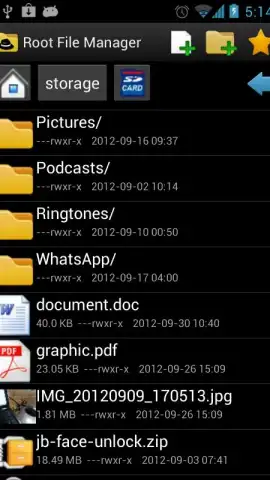
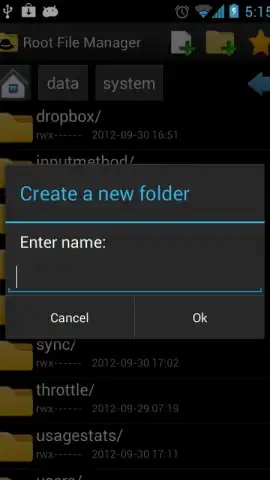
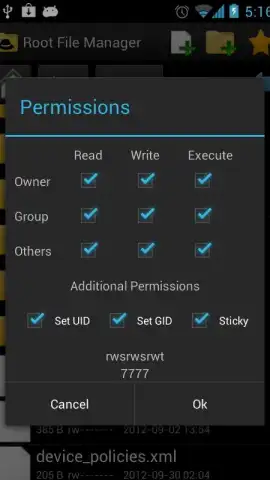
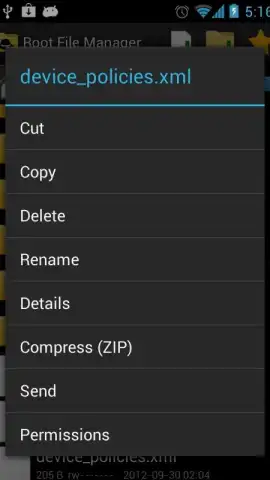
The application functions as a full-featured administrative terminal for your device's storage. It allows for direct interaction with all directories, including system-protected areas, when used with appropriate permissions. Operations such as cut, copy, paste, delete, rename, and move are executed with precision. The manager supports archive handling for ZIP files, including compression and extraction, and provides detailed file property inspection, showing permissions, ownership, and modification dates. For organization, it offers multiple sort filters (name, size, date) and a Favorites system for quick folder access. A built-in file viewer and sharer facilitates opening documents, images, and other files with any installed application on your device.
The software is optimized for a range of Android versions, from legacy systems like Gingerbread to modern iterations like Pie and beyond, ensuring consistent performance. It features a customizable interface with adjustable themes and supports multiple languages including English, French, and Spanish. A key operational note is its requirement for root access to unlock its full potential for system-level file management; without root, it operates as a powerful standard file manager with enhanced capabilities for accessible storage areas.
- Execute fundamental file operations: cut, copy, paste, rename, move, and delete files or entire directories.
- Manage archives by creating new ZIP files and extracting contents from compressed archives directly.
- Inspect detailed file properties including specific read/write/execute permissions and ownership data.
- Organize content using customizable sort orders and pin frequently used folders to a Favorites section.
- Preview image thumbnails, open files with external apps, and share content seamlessly across platforms.
Download Root File Manager Now for Complete Control
Gain unrestricted access to your device's file system today. This version offers a robust, ad-free experience for users seeking deep file management capabilities. Install now to transform how you organize, analyze, and control every file on your Android device—optimal performance and full feature access are available immediately upon setup.
Disclaimer: This application requires a stable internet connection for initial download and potential updates. It may offer in-app purchases for advanced features or future upgrades. Root access is necessary to utilize system-level management functions; modifying system files without proper knowledge can destabilize your device. The app may request permissions to access device storage, and data usage depends on the scope of file management activities performed. Use in accordance with your device's terms and applicable laws.


