

TubeMate
TubeMate screenshots (10)





Description TubeMate
A Dedicated Video Downloader for Permanent Offline Access
TubeMate provides a direct method for downloading video and audio content to local storage, enabling permanent offline playback. This third official version, also identified as TubeMate3, functions as a utility to archive media from various online platforms directly onto an Android device. The core operational principle involves saving files to internal memory or an SD card, removing reliance on continuous internet connectivity or the ongoing availability of content on its original host.
Core Functionality and User Interface
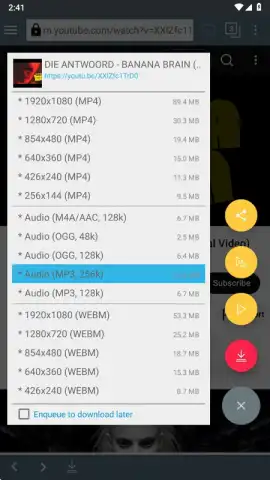
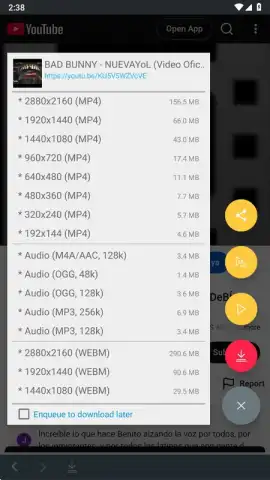
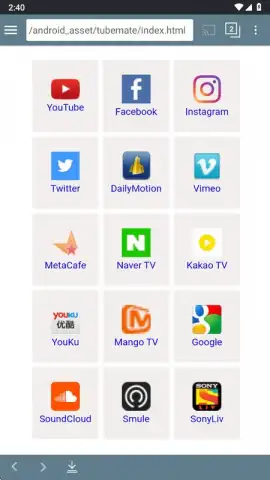
The application launches with a brief tutorial outlining the download process. The primary interface centers on an integrated browser and a menu accessible via the top-left button, which lists supported multimedia sites and social networks. To initiate a download, users navigate to the desired video or audio file within the app. After a brief processing period, a red pop-up button appears in the lower-right corner. Tapping this button reveals all available download formats and quality options for the selected media.
Configuration and Advanced Settings
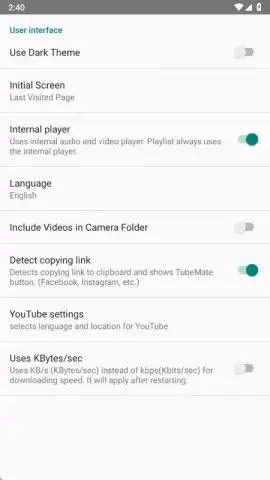
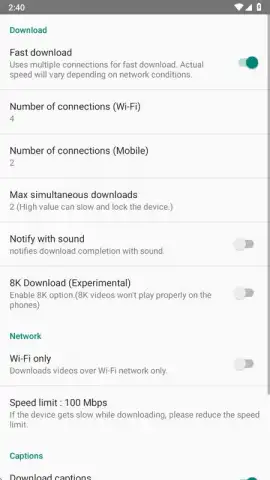
A settings menu, accessed via a gear icon in the upper-right corner, offers granular control over download behavior and app appearance. Users can define a default storage folder for all downloaded files. Within the download parameters, options include restricting downloads to Wi-Fi only, setting a maximum download speed limit, enabling subtitle download where available, and toggling support for 8K video resolution. Separate interface settings allow for theme changes, activation of a dark mode, and language selection.
Format and Quality Selection
The application presents multiple download options for each video or audio file. Supported container formats include MP4, MP3, AAC, OGG, and WEBM. Users select from specific audio bitrates—typically 48k, 128k, or 256k for music files. Video resolution options range from 144p to 1080p, and sometimes higher, depending on the source platform. This selection allows for management of file size relative to storage capacity and desired quality.
Comparative Analysis with Previous Version
The functional difference between TubeMate (TubeMate3) and its immediate predecessor, TubeMate2, is primarily interface-based. Both applications offer identical core downloading capabilities from the same range of platforms. The third version implements a redesigned, modernized user interface with a reorganized settings structure for improved navigation. Operational features and output results remain consistent across both versions.
- Multi-Platform Downloading: Accesses and downloads video and audio content from a wide list of supported websites and social media platforms directly through an in-app browser.
- Configurable Download Manager: Set download rules including Wi-Fi-only restrictions, speed limits, and automatic subtitle fetching for compatible videos.
- Flexible Output Formats: Download files in MP4, MP3, AAC, OGG, or WEBM containers with user-selected video resolution and audio bitrate.
- Local Storage Management: Designate a custom folder on device storage or SD card for all downloaded media, organizing content for offline playback.
- Modernized User Interface: Features a redesigned layout with a dark mode option and streamlined settings menu compared to previous application versions.
We suggest trying TubeMate if your requirement is a utility for saving online video and audio to local device storage for offline access. Consider downloading the application to archive media independently of its original hosting platform.
Internet required for downloads. IAP available.


