

360 BROWSER
360 BROWSER screenshots (3)

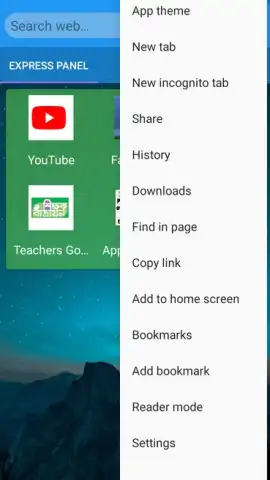

Description 360 BROWSER
What if your mobile browser could do more than just load pages, but actually streamlined your entire web experience? 360 BROWSER is engineered to address the common frustrations of cluttered tabs, slow performance, and scattered online tools by integrating core functionalities into a single, efficient application.
Core Functionality & Integrated Tools
This browser operates on a principle of consolidated utility. The primary interface is built around a powerful rendering engine designed for speed and compatibility with modern web standards. Beyond basic navigation, it incorporates a native download manager for handling various file types, a private browsing mode that does not save history or cookies, and a data-saving feature that compresses webpages before they load on your device. The architecture supports extensive tab management, allowing users to group, preview, and switch between numerous open pages without significant lag or memory drain.
Key User Experience Advantages
The application distinguishes itself through operational cohesion and user-centric design. Performance optimization is evident in its reduced loading times for media-heavy sites and efficient memory management that minimizes background resource consumption. The user interface employs a customizable layout, permitting quick access to bookmarks, history, and settings from a unified sidebar or toolbar. For convenience, it includes a night mode that automatically adjusts screen color temperature and a built-in ad blocker that filters intrusive pop-ups and banners, creating a less cluttered visual field for reading and interaction.
- Efficient Tab Management: Handle dozens of open pages with grouped tabs and quick-switch gestures to reduce clutter.
- Integrated Ad Blocking: Browse with fewer interruptions using a native tool that filters pop-ups and banners.
- Data Compression Mode: Reduce cellular data usage by compressing images and scripts during page loads.
We suggest trying 360 BROWSER if your current mobile web experience feels fragmented or sluggish.
Heads up: you'll need wifi for most features. Some cool stuff is extra.


