
CodePad lite
CodePad lite screenshots (5)



Description CodePad lite
A Mobile Coder's First Impulse
The moment an algorithm's logic clicks or a bug's solution reveals itself is often fleeting, captured best when you can immediately test it. For developers, students, and tech enthusiasts, that moment frequently arrives away from a desktop workstation. CodePad Lite addresses this specific need: it is a comprehensive, on-device compilation and execution environment for Android, transforming a smartphone or tablet into a viable platform for serious code experimentation, review, and learning. This review examines its capability to serve as a portable coding sandbox, assessing its utility beyond mere syntax highlighting to actual code execution.
Core Functionality and Language Support
The primary function of CodePad Lite is to provide a reliable, self-contained system for writing, compiling, and running code directly on an Android device, without reliance on a remote server or constant internet connection. This is not a simple text editor; it integrates compilation toolchains for a deliberately broad spectrum of programming languages. The application supports mainstream languages like C, C++, Java, and Python with robust compilation, making it suitable for academic work and prototyping. Its versatility extends to scripting and web technologies, including JavaScript, Lua, and HTML, allowing for quick client-side script tests. Furthermore, it accommodates other significant languages such as Ruby, Perl, and even Fortran, offering a rare level of universality in a mobile development tool. This wide support makes it an effective tool for polyglot programmers or students navigating multiple course requirements from a single device.
Interface Design and Operational Efficiency
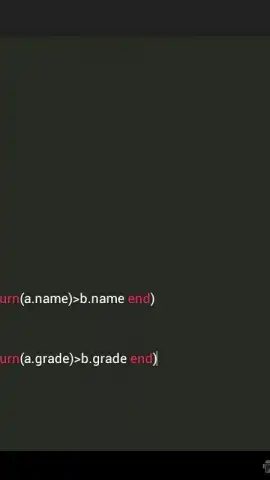
The user experience is defined by a clean, minimalistic interface that prioritizes code visibility and reduces on-screen clutter. This design philosophy minimizes distraction and allows users to focus on the logic being written or debugged. Performance is consistently stable, handling compilation tasks for the supported languages efficiently, which is critical when testing iterative changes to code. The environment is equally practical for structured query language (SQL) experimentation, cascading style sheets (CSS) tweaks, and managing complex JavaScript functions. This adaptability, combined with the absence of disruptive advertising in its core operations, creates a focused and productive mobile coding session. The application effectively bridges the gap between the convenience of mobile access and the demanding requirements of actual code execution.
Detailed Feature Breakdown
- Multi-Language Compilation Engine: Execute and debug code across a vast array of languages including C++, Java, Python, Ruby, Perl, and Fortran directly on your Android device, eliminating the need for a desktop setup for basic testing.
- Scripting & Web Tech Sandbox: Rapidly prototype and run client-side scripts and markup using integrated support for JavaScript, Lua, and HTML, providing a quick feedback loop for web development snippets.
- Ad-Free, Focused Coding Interface: Work within a streamlined, distraction-free environment designed for productivity, featuring a stable editor that ensures reliable performance whether writing CSS, SQL, or complex algorithms.
Final Assessment and Value Proposition
CodePad Lite establishes itself as a genuinely useful tool for anyone who needs to validate code ideas outside of a traditional development environment. Its strength lies in the concrete utility of on-device compilation across an impressive range of languages, from the foundational to the contemporary. For a student wanting to review Java concepts between classes, a developer sketching out a Python algorithm while commuting, or an enthusiast experimenting with web scripts, this app delivers a tangible, portable coding workstation. It turns idle moments into productive coding sessions, making complex solutions manageable and accessible from the convenience of a mobile device.
Download CodePad Lite Now – Exclusive Early Access
This level of mobile coding freedom is typically reserved for limited, paid tools. For a limited time, CodePad Lite offers its full, ad-free core compilation engine as a free download. Secure your exclusive early access to this powerful mobile developer toolkit today—install it now and transform how you interact with code on the go.
Technical Disclaimer: This application requires an internet connection for initial package setup and for certain language compilations that may fetch dependencies. It may contain in-app purchases for advanced features or language packs. The app is intended for users aged 13 and above due to the technical nature of its use. Data usage depends on compilation activity and package downloads. Please review the developer's privacy policy for details on data handling.


