

LG TV SmartShare-webOS
LG TV SmartShare-webOS screenshots (4)
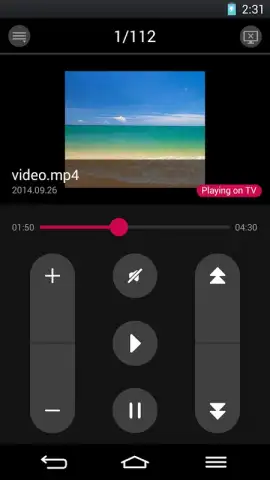
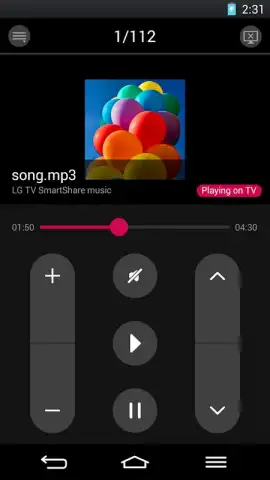

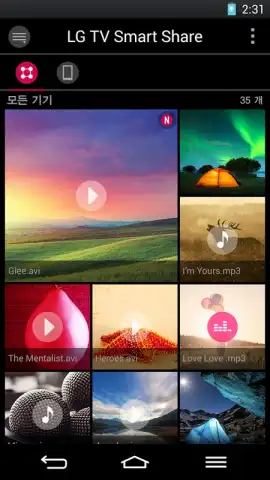
Description LG TV SmartShare-webOS
Looking for a seamless way to cast media from your phone to your LG TV?
This review examines LG TV SmartShare-webOS, a dedicated content-sharing application designed to enhance the multimedia ecosystem of LG Smart+ TVs running the webOS platform. The core function of the app is to establish a direct, wireless bridge between your mobile device and television, enabling straightforward projection of personal media libraries onto the larger screen. It operates as a refined alternative to standard casting protocols, with a specific design philosophy centered on integration within the LG and webOS environment. The technical premise is network-based, requiring both devices to be on the same Wi-Fi subnet, but it notably functions independently of physical NFC-based connection methods like the Tag On sticker, offering a degree of flexibility from the outset.
A detailed analysis of its streaming mechanics and format support
The operational workflow is intentionally minimalistic. After ensuring both your smartphone and LG Smart+ TV are connected to the same wireless network, you navigate to your media file within your phone's native gallery or music player. Utilizing the standard "Share" menu, you select the SmartShare-webOS app as the output destination, followed by choosing the target TV from a discovered list. The app then handles the negotiation and playback initiation. This process effectively turns your TV into a wireless monitor for your phone's media, bypassing the need for cables or intermediate storage devices. A significant technical advantage is its broad format compatibility layer, which aims to decode files directly, reducing reliance on your TV's native player capabilities.
The application supports an extensive array of file formats, which is a critical point for users with diverse media collections. For images, it handles JPEG, PNG, and BMP files. Audio playback is supported for MP3 files, while video support is notably comprehensive, accommodating various codecs and including subtitle file support for a personalized viewing session. It's important to note that while the core sharing functionality works for most smartphones connected to the network, the specific Miracast screen mirroring feature is a proprietary extension limited to LG smartphone models from the G2 onward and equivalent or newer Samsung models. This creates a tiered feature set based on your hardware.
- Wireless Media Projection: Effortlessly stream videos, music, and photos directly from your smartphone to your LG Smart+ TV screen.
- Broad Format Compatibility: Supports key image formats (JPEG, PNG, BMP), MP3 audio, and numerous video codecs with subtitle integration.
- Network-Centric Connection: Operates purely over a shared Wi-Fi network, eliminating the need for physical Tag On stickers or cables.
- Proprietary Miracast Extension: Offers enhanced screen mirroring functionality for compatible LG and select Samsung smartphones.
- Ad-Free Experience with Turbo: Provides an uninterrupted streaming environment with optimized data transfer for smoother playback.
The utility of LG TV SmartShare-webOS is clear for users invested in the LG ecosystem seeking a dedicated, no-fuss method for personal media consumption on a large display. Its strength lies in its focused functionality and wide format support, which reduces transcoding headaches. For owners of compatible LG or Samsung phones, the added Miracast capability extends its use beyond simple file playback to full device mirroring.
Download the mobile app now to unlock exclusive, ad-free streaming—this optimized version offers enhanced stability for early users today only.
Heads up: you'll need wifi for most features. Some cool stuff, like full Miracast mirroring, is extra and requires specific LG or Samsung phone models.


