

WiFi Analytics
WiFi Analytics screenshots (5)
Description WiFi Analytics
A Methodical Approach to Home Network Diagnostics
The challenge of inconsistent Wi-Fi coverage is a common technical hurdle in modern households, where a strong signal in one room can degrade to nothing just a few steps away. NETGEAR WiFi Analytics provides a systematic, data-driven solution to this problem, transforming a smartphone into a precise signal mapping tool. This application bypasses guesswork, offering homeowners and tech enthusiasts a clear methodology for identifying and diagnosing the root causes of poor wireless performance through empirical measurement and channel analysis.
Core Functionality and Analytical Tools
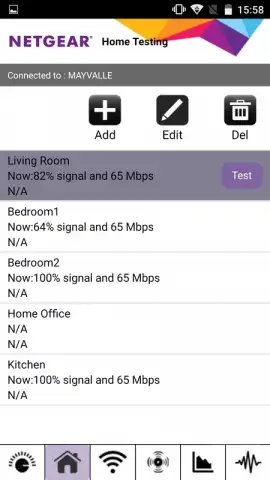
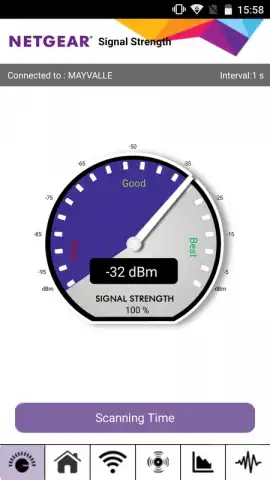
The application operates on a straightforward principle: measurement and documentation. Users initiate a signal test and physically move through their living space. The app continuously logs Wi-Fi signal strength, creating a de facto heatmap of coverage. This empirical data is stored within the app, providing a historical record to compare against after making adjustments to the network environment. The primary utility lies in its dual diagnostic approach. First, it identifies physical dead zones where signal attenuation is severe. Second, and more critically for performance, it scans the 2.4 GHz and 5 GHz radio spectrums to identify channel congestion.
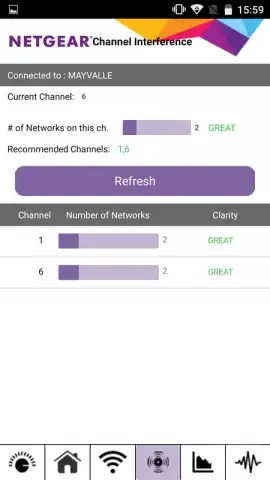
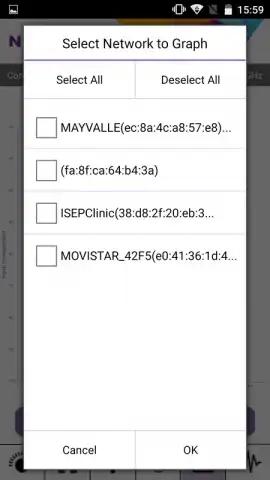
This channel analysis feature is its most technically significant tool. It displays a list of all detectable networks and the broadcast channels they occupy, highlighting which channels are most saturated. If your network operates on a congested channel, the app provides the factual basis for a manual intervention—logging into your router's admin settings and switching to a clearer channel to reduce interference and potentially increase throughput. The application presents data without prescribing router-specific steps, maintaining its role as an analytical instrument.
- Precision Signal Strength Mapping: Walk through any property while the app logs and saves real-time Wi-Fi signal data for later analysis.
- Wireless Spectrum Channel Scanner: Detects all nearby networks and identifies the most congested channels to guide router optimization.
- Permanent Data Logging: All test results and signal measurements are stored locally within the application for trend comparison.
- Ad-Free Diagnostic Environment: The interface is focused entirely on network metrics without disruptive advertising banners or pop-ups.
- Universal Router Compatibility: Provides analysis for any Wi-Fi network, requiring no specific integration with NETGEAR hardware.
The tool is designed for users experiencing connectivity issues who seek objective data. It answers whether problems stem from physical layout and signal propagation or from radio frequency interference from neighboring networks. By separating these two variables, it enables targeted troubleshooting, whether that means repositioning an access point or changing a router channel setting.
Download NETGEAR WiFi Analytics immediately and start mapping your true coverage! Stop tolerating slow speeds and dropped connections—get the factual data you need to optimize your home network today.
Disclaimer: This application requires an active internet connection and Wi-Fi network to function. It is a diagnostic tool and does not perform automatic router configuration; changes must be made manually via your router's web interface. Data usage is minimal. The app does not contain in-app purchases. It is intended for general audiences but requires basic technical understanding for effective use. Network performance improvements depend on individual environment factors.


